Route AI traffic locally between LLM models and providers
As I started setting up my local LLM workflow, my setup sprawled faster than I could wrangle it. Before long, I ended up with multiple tools to play around with (inputs) and multiple inference providers (outputs). Some providers could handle private data, others were only available in commercial clouds, and more were specific to individual projects only. None of the multiple-input/multiple-output configurations started as easy to use.
Let’s configure a simple router into our system to easily switch between AI models/providers that works across nearly anything they would be used for. This setup is the foundation for insight into the data flowing through them. (jump to the ending on GitHub for the impatient)
This is what we’ll end with
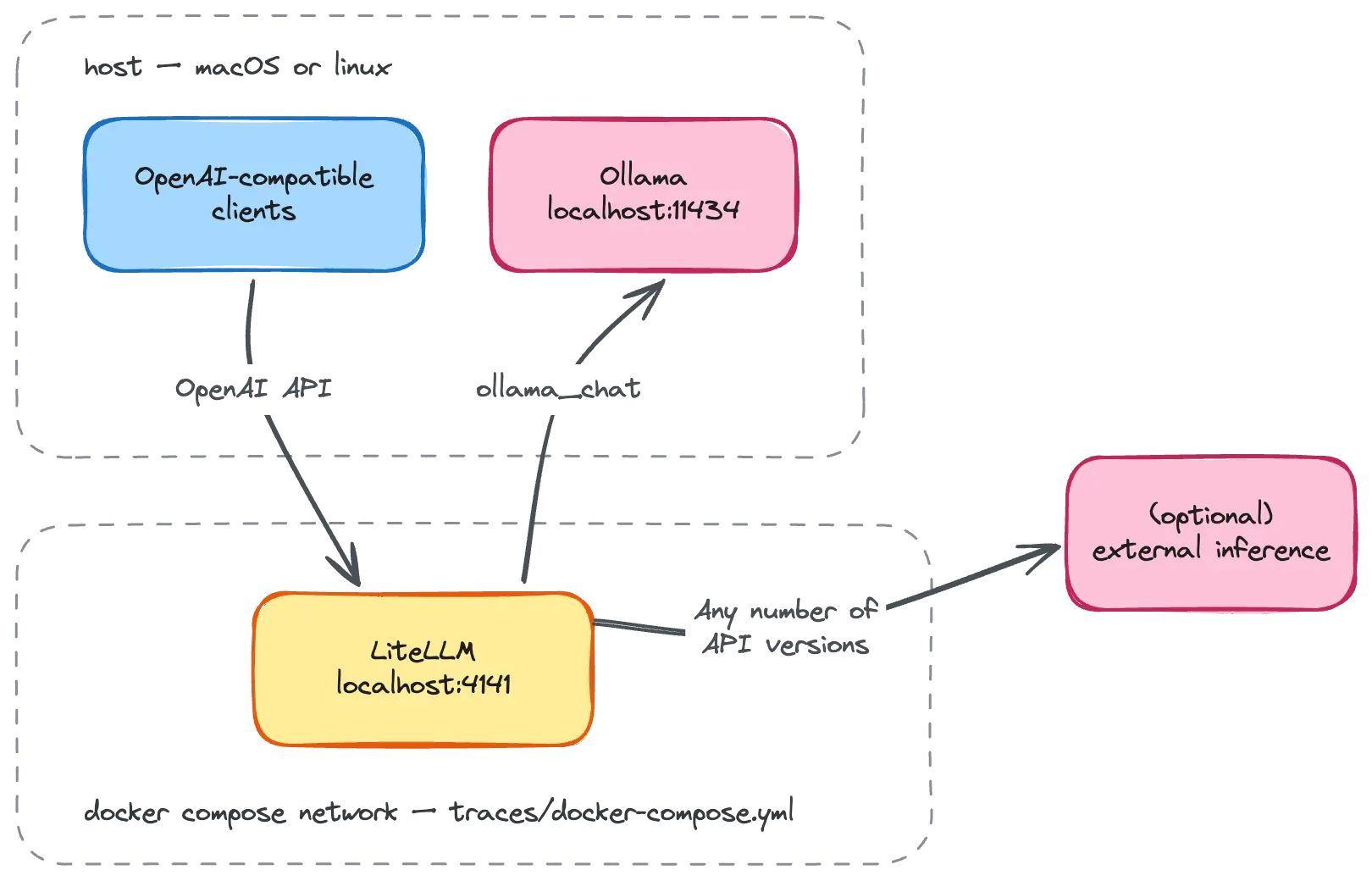
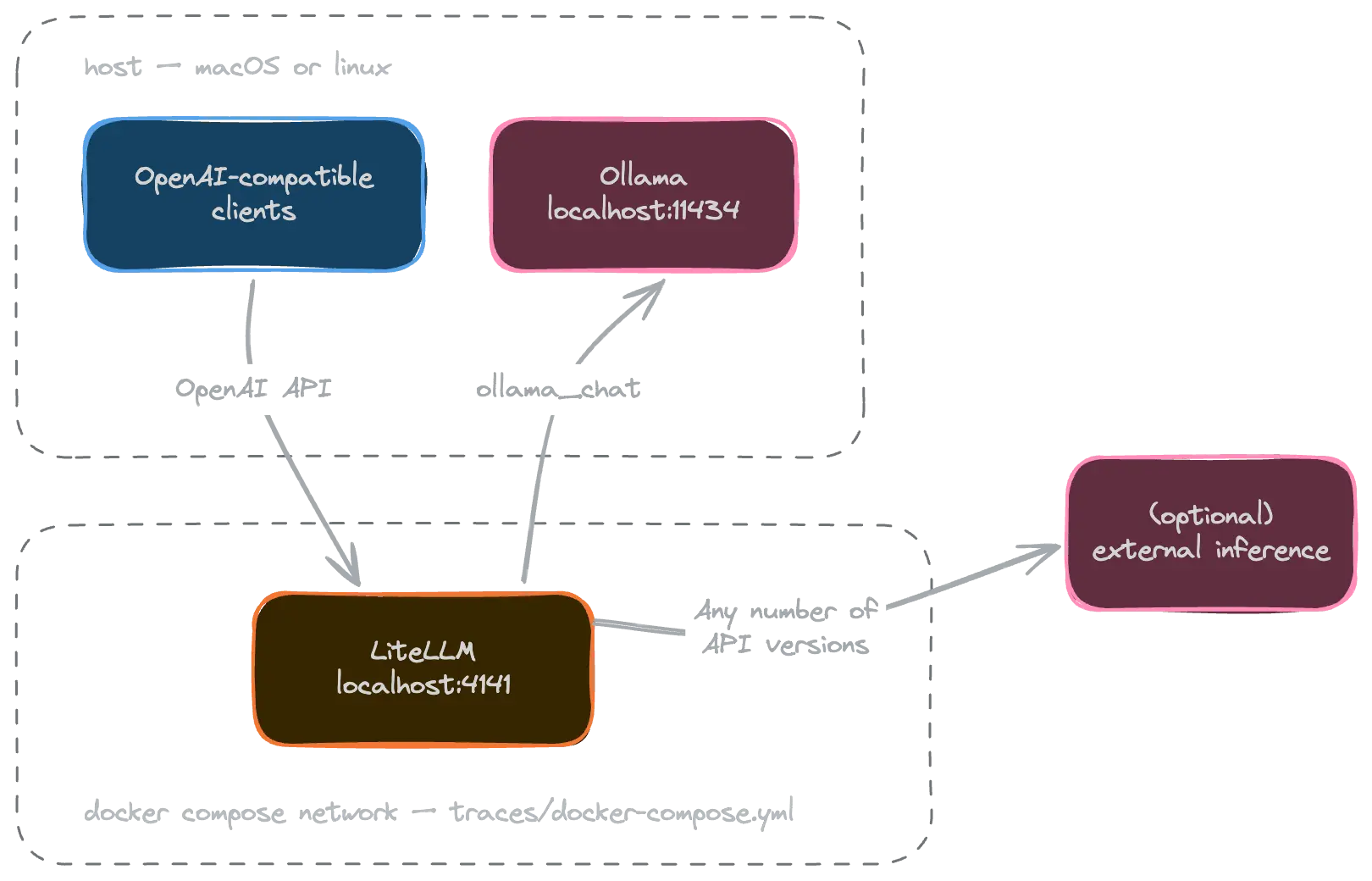 the next step - adding a simple router
It’s an API all the way down
We ended the last piece running open models with a runtime (ollama ) on local hardware, but interacting with it directly with curl. Understanding who owns the hardware and/or models matters for governance (what data goes where) and figuring out how to pay for it (electricity + hardware + time or consumption pricing). No matter where it’s running, inference is almost always exposed by an API. Sometimes that API is hidden from you as a user and built in to your tool (like a chatbot or coding agent you don’t configure), and that’s cool too but way outside of what we’re solving for today.

Runtimes (and big platforms too) expose their services over APIs. Most tools have settled into being compatible with the OpenAI standard (docs ) or the Anthropic SDK format (docs ), and in many cases, both. This allows us to write software that uses it once, then swap out the providers easily
… or … those of us who lived through the “datacenter to cloud” shift may have seen this pattern play out a time or two before.
This pattern looks familiar
The first service we need to provide and analyze the data is a new gateway between users and an expensive resource. The pattern that enabled microservices to scale gives us a great framework to do the same with inference. The gateway pattern is well-understood, scales in predictable ways, and doesn’t need to be horribly complicated to work.
%%{
  init: {
    'flowchart': {
      'padding': 10,
      'nodeSpacing': 15,
      'rankSpacing': 0,
      'diagramPadding': 5
    }
  }
}%%

flowchart LR
    A(coding agents) ---> N
    B(chat bots) ---> N
    C(custom programs) ---> N
    D("... and so on ...") ---> N
    N{"AI Gateway<br>(choose your adventure)"}
    N ---> E("Ollama (local)")
    N ---> F(raw cloud inference)
    N ---> G(customer/project<br>specific inference)
    N ---> H(the office LAN's<br>big GPU box)
    N ---> I("... and so on ...")

    classDef usage fill:#ffe0b2,stroke:#e65100,color:#000
    classDef inference fill:#bbdefb,stroke:#0d47a1,color:#000
    classDef router fill:#e1bee7,stroke:#4a148c,color:#000

    class A,B,C,D usage
    class E,F,G,H,I inference
    class N router
This gateway is set it up locally so that you can inspect traffic at this “chokepoint” locally too. While “real world” business applications are configured differently, this will get you what you need to get going.
Set it up
I settled on the open-source LiteLLM for having a large community and robust free tier1. Given that I have no need to directly manage the operational complexity of Kubernetes2, Docker Compose handles most of my container orchestration. The snippet to manage the gateway doesn’t need much to use local inference.
1
2
3
4
5
6
7
8
9
10
11
12
13

services:
  litellm:
    image: ghcr.io/berriai/litellm:v1.109.1
    container_name: litellm
    restart: unless-stopped
    command: ["--config=/app/config.yaml", "--port", "4000"]
    ports:
      - "127.0.0.1:4141:4000"  # remap for other services on a Mac
    environment:
      - LITELLM_MASTER_KEY=${LITELLM_MASTER_KEY:?required}
      - OLLAMA_BASE=${OLLAMA_BASE:-http://host.docker.internal:11434}
    volumes:
      - ./litellm-config.yaml:/app/config.yaml:ro
The YAML variables come from an .env file, allowing me to swap settings easily to use the same tools on different remote providers if and when appropriate. For my own local Ollama instance, here’s the values I use.
1
2
3
4
5
6

# What clients send as their API key when talking to litellm on :4141.
LITELLM_MASTER_KEY=sk-local
# ⚠️ the above is supposed to be a secret, so it's a placeholder here

# Where to send data to Ollama
OLLAMA_BASE=http://host.docker.internal:11434
I added in a few more settings in the service’s configuration file too.
1
2
3
4
5
6
7
8
9

model_list:
  - model_name: laguna-xs-2.1
    litellm_params:
      model: ollama_chat/laguna-xs-2.1:latest
      api_base: os.environ/OLLAMA_BASE
  - model_name: gemma4:31b
    litellm_params:
      model: ollama_chat/gemma4:31b
      api_base: os.environ/OLLAMA_BASE
Now that it’s all wired together, let’s do a quick test.
1
2
3
4
5
6
7
8
9
10
11
12

curl \
  --request POST \
  --header 'Authorization: Bearer sk-local' \
  --header 'Content-Type: application/json' \
  --data '{
    "model": "ollama_chat/gemma4:31b",
    "messages": [{
      "role": "user",
      "content": "explain a linked list data structure like I am 10 years old with an example"
    }]
  }' \
  'http://localhost:4141/v1/chat/completions'
🎉 It works! 🎉 It’s not terrifically helpful to directly post requests on the command line, though. Next, let’s configure our tools to use it too.
Use it locally
My primary use is for my coding harness, pi , which only needs two files. A settings file sets the defaults:
1
2
3
4
5
6
7
8
9
10
11

{
  "lastChangelogVersion": "1.5.2",
  "packages": [],
  "extensions": [],
  "defaultThinkingLevel": "high",
  "enableInstallTelemetry": false,
  "theme": "dark",
  "quietStartup": true,
  "defaultProvider": "local",
  "defaultModel": "gemma4:31b"
}
And a model catalog explicitly lists the models available:
1
2
3
4
5
6
7
8
9
10
11
12
13
14
15
16
17
18
19
20
21
22
23

{
  "providers": {
    "local": {
      "baseUrl": "http://localhost:4141/v1",
      "api": "openai-completions",
      "apiKey": "sk-local",  // the same secret as above
      "compat": {
        "supportsDeveloperRole": false,
        "supportsReasoningEffort": false
      },
      "models": [
        {
          "id": "gemma4:31b",
          "name": "Gemma 4 31B (local)",
          "reasoning": true,
          "input": ["text", "image"],
          "contextWindow": 262144,
          "cost": { "input": 0, "output": 0, "cacheRead": 0, "cacheWrite": 0 }
        },
      ]
    },
  }
}
Each tool you point at local inference has its own configs and looks to them for further guidance. Since it’s mostly standard APIs at this point in time, there’s likely not too much difference.
Use it in a VM for isolation
Since many AI tools can crawl across your filesystem for context that would be helpful to solve the task at hand, it’s handy to isolate them in virtual machines to explicitly control what they can see. This helps prevent accidental information exposure. It gets only a tiny bit more tricky to share our local Ollama inference with local VMs.
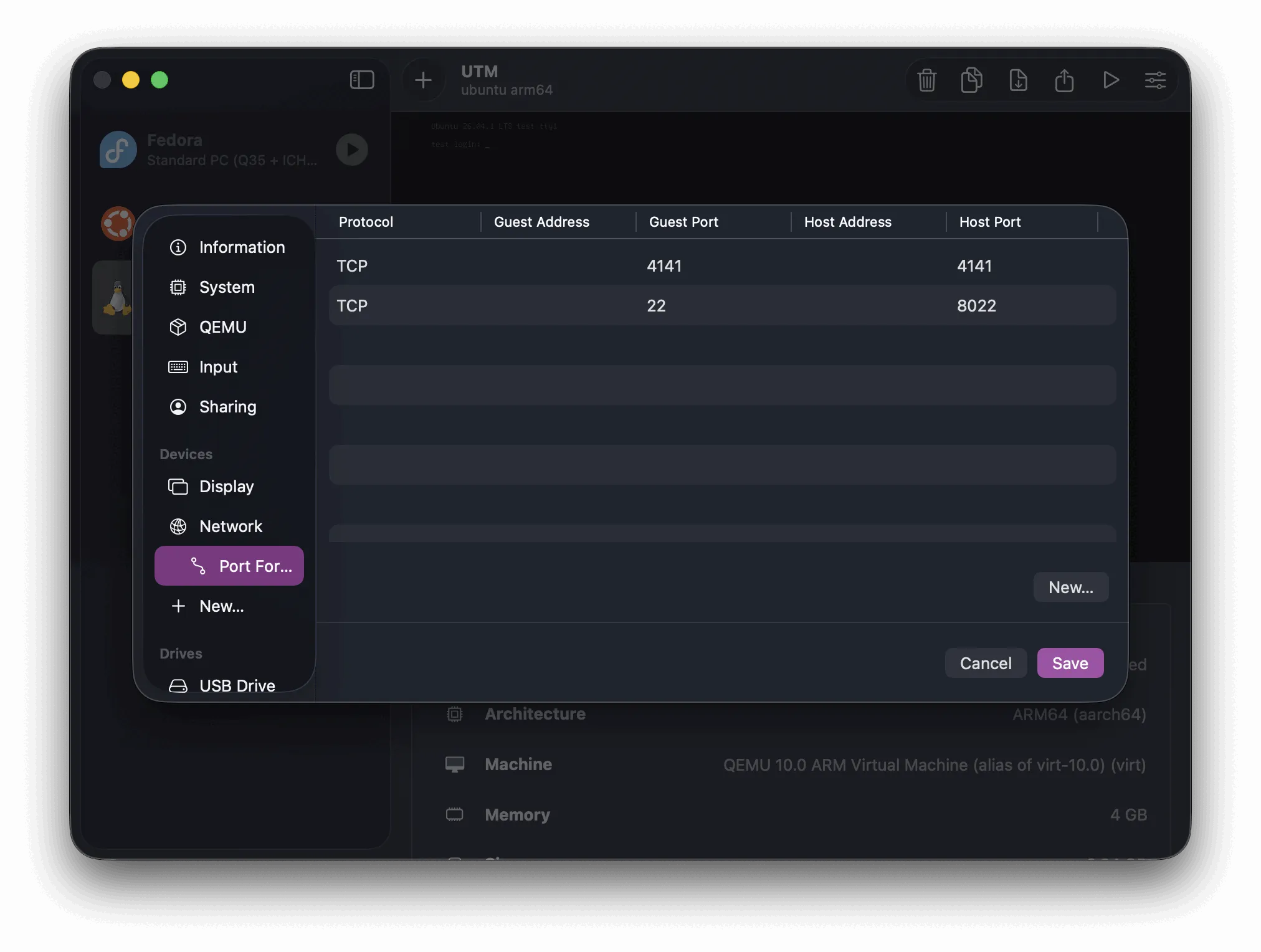
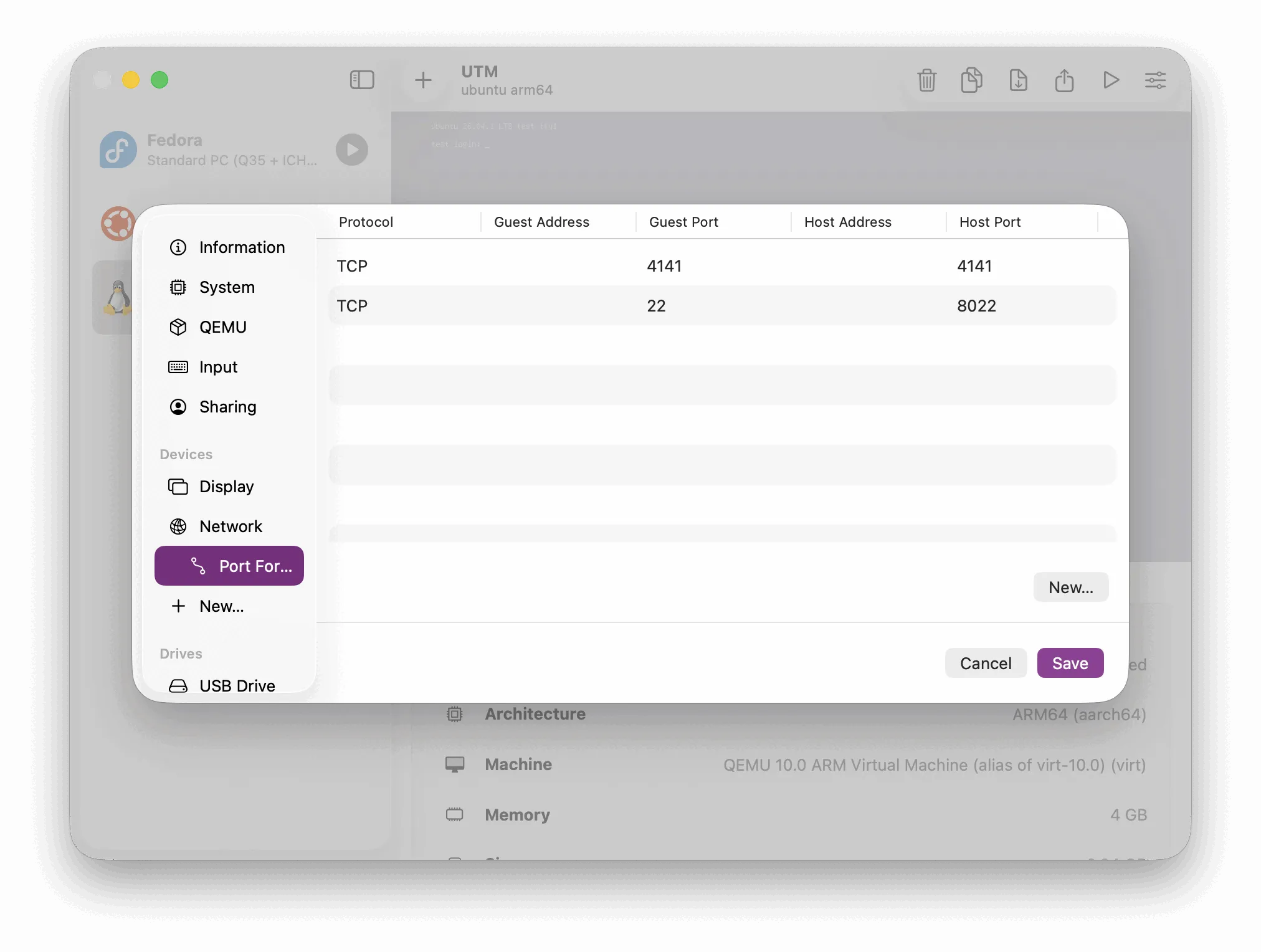
To do this, set up port forwarding from the host to the guest on the appropriate port(s).
1
2
3
4
5
6
7
8
9
10
11

curl \
  --request POST \
  --header 'Authorization: Bearer sk-local' \
  --header 'Content-Type: application/json' \
  --data '{
    "model": "ollama_chat/gemma4:31b",
    "messages": [{
      "role": "user",
      "content": "explain a linked list data structure like I am 10 years old with an example"
    }]}' \
  'http://10.0.2.2:4141/v1/chat/completions'
Keep in mind that localhost is the loopback address, so from inside the VM it’s just the same VM. Instead, the destination is whatever the host is from your guest, usually something in the 10.0.0.0/8 for UTM but other hypervisors can have different opinions.
Since the request goes to , you’ll also need to pass the Authorization header with our token to use it. This pattern also holds if our VM was available on the local network or on a VPN so it can be safely accessed elsewhere.
Make it business-y
There isn’t a big jump in this pattern to make this work in a more business-y setting. Most critical is setting up authentication between users, the model router, and any upstream inference providers. It can also set budgets, quality of service quotas, and log traffic. There are tons of nice-to-have features in this product set around cost optimization and understanding who’s using what, too … it’s just not what’s needed to get going today for my personal projects.
Given how much information it can access and record, resist the urge to vibe code this or roll your own. Many security things are hard to do right include authentication, authorization, cryptography, and what you’re allowed to log … basically all of that. Use your complexity budget wisely. This is not worth getting wrong.
Any AI gateway is a man-in-the-middle of our LLM traffic by design. It logs our traffic and can act on it.
We’ll use this ability to build more interesting features and find answers in this data. 💖
Footnotes
-
There are a ton of options for literally any choice I make. This being the hottest part of tech now means there’s likely more by the time you read this. Don’t get too worked up about it. 🤷🏻♀️ ↩
-
I don’t manage Kubernetes (or anything really) directly unless I have to or find it personally fun. I’m of the opinion that for most work use cases, platform-managed Kubernetes is fine. ↩