Running large language models locally ... simply
Let’s run large language models locally, without too much time spent fiddling with it versus time spent building.
I touched on this a tiny bit earlier in the year in “You didn’t miss the boat on AI in Cybersecurity”, as I run a few LLMs locally to save on cloud costs and maintain control of my data. These skills came from prior roles and continue to be useful. I don’t have a ton of time to spend doing that.
Running LLMs isn’t the goal for me, using them is.
Start small, grow from there
The final stack runs locally, but works just as well on small networks too. It sits somewhere between a homelab and small team setup, though a few swaps (which I’ll point out) can bring it closer to an enterprise configuration. Instead of adding tech for the sake of it, we’ll use it to solve a specific problem.
A low-configuration local service to run models and a minimal path to using it is all we’ll build today.

 our ending point for today
Everything else is built around this.
This is the ending point for today, a client that can use an OpenAI-compatible API and Ollama on a desktop to run a few models. From here, the stack grows on top to solve all sorts of more nuanced, harder problems. The ever-changing, mostly-finished project is in GitHub .
Why?
Lots of reasons!
AI subscriptions are expensive and what you get for your money changes week to week. Owning the hardware means putting up the capital and operations costs at the tradeoff of being a predictable expense.
Data control rules around what can be sent/stored/processed where provide a lot of business reasons to self-host parts or all of your AI stack too. If you’re in any of these fields, knowing how these systems work is a decent career choice. It’s difficult to know what happens to all the data you send into another computer and given how much access these systems get to our data, some suspicion isn’t unjustified.
💖 Because you want to learn 💖 and this is the most important (to me anyways).
Sizing your compute

Which bits of hardware are important depends on what you’re doing. Some applications need low power draw or incredibly fast responses. Regardless of application, you’re going to be limited by a few things:
- Fast inference (a GPU)
- Lots of fast memory
- Lots of bandwidth between memory and inference
For consumer hardware, this pattern is common on integrated graphics systems. Long considered the budget option for video games, it now has a great high-performance use case for the architecture. These systems don’t have a dedicated video card with dedicated video memory and processing, instead sharing memory on a high-speed bus between the CPU and a graphics chip.
For my personal lab, I have an AMD Strix Halo desktop and a bunch of Raspberry Pi boards to play with. For work, I have a beefy M5 MacBook for local stuff, as well as access to raw cloud inference (eg, AWS Bedrock or Google Vertex AI). I built my little system for personal stuff, then found it so handy I use it almost everywhere now.
Adequate disk space, having a graphics display of some sort, and networking are nice to have, but not optimized for. You’ll need enough disk space to store the models and the tasks you’re working on. If this provides inference to other devices on your network, it’s worth running ethernet to it. Apart from that, unless your machine is part of a cluster of machines working together, getting excited by networking isn’t too important.
The size (number of parameters) of the model(s) you can run is roughly correlated to the amount of memory your system has. The speed it can generate responses from your input is related to the bandwidth of memory and speed of your GPU. There are a ton of sizing guides and explainers today. I linked one of my favorites for remaining updated below.
This site, canirun.ai , has been a tremendous help for figuring out what fits on any given hardware.
Funding local hardware

There’s a growing market for pre-built machines for running large language models locally to consider now too. These machines are not cheap, but they do come with “run X at Y speed” type benchmarks.
At present, hardware is getting more expensive over time, not less. It’s easy to spend money on hardware beyond what you need. There’s a speculative aspect to the costs now too, where the price seems to be justified on the thinking future tokens (unit of compute) on rented compute will be more/equally expensive tomorrow than at present.
💸 Try not to tell yourself “it’ll pay for itself” when the math is easy to run and can prove you wrong. 💸
Adding to the confusion is that what constitutes a “credit” you pay one of the AI vendors for isn’t easy to understand. What you pay per “tier” for a subscription to Anthropic or OpenAI is not usually a flat metered rate for usage. This gets even more obfuscated with any number of smaller or single-purpose AI tools, where “credit” can be any combination of metrics to make up unit cost. The mechanics of what’s being consumed isn’t so difficult if you know what you’re consuming.
Figuring out what I’m genuinely using is part of why I started building the intercept and analysis parts of this little local system to begin with. Later, we’ll go through how I intercept the traffic in and out of large language models, even for remote services, for processing. This allows me a better understanding of what I’m consuming in straightforward quantities to better understand what I should spend.
This return on investment calculator is a great resource to figure out the “build vs buy” decision once you understand your usage. It’s easy to add compute later, so don’t get hung up on what you can’t do now.
Running models locally

There are lots of good choices to run LLMs. What’s best depends on how much fiddling you want to do with the system running it and the model. If you’re craving more buttons and switches to play with the system, LM Studio or llama.cpp are solid choices. There are tons of interfaces to running models locally, so find what’s important to you and play with it.
For me, Ollama is fine. I don’t mess around with the model itself or the system running it. This is what we’ll be assuming moving forward, however almost anything providing an OpenAI-compatible API will be fine.
The default settings are mostly acceptable. It doesn’t need to be available across the network or sign into any cloud services. The only value I changed is the context window, allowing the model to work with more data in and out than it would otherwise be able to by default. Here’s how I have mine set up:
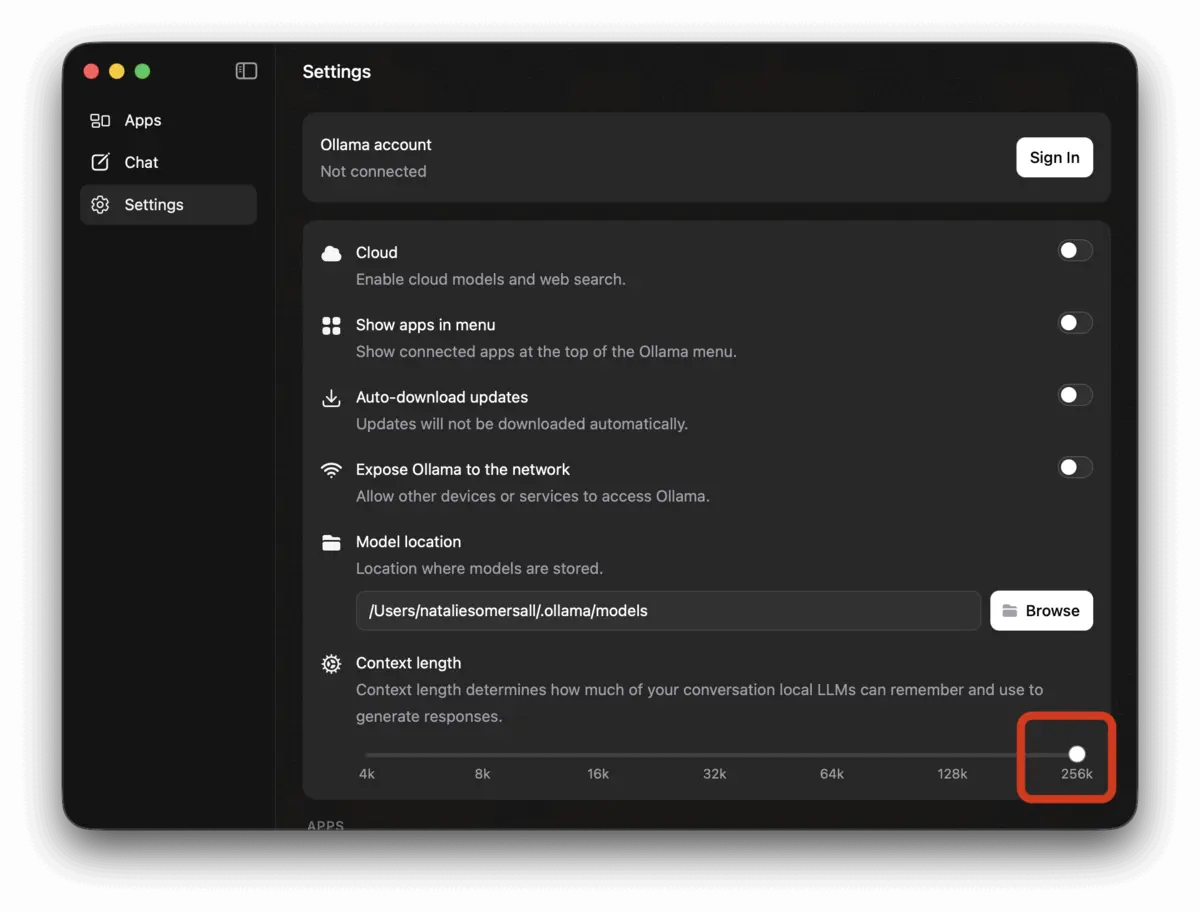
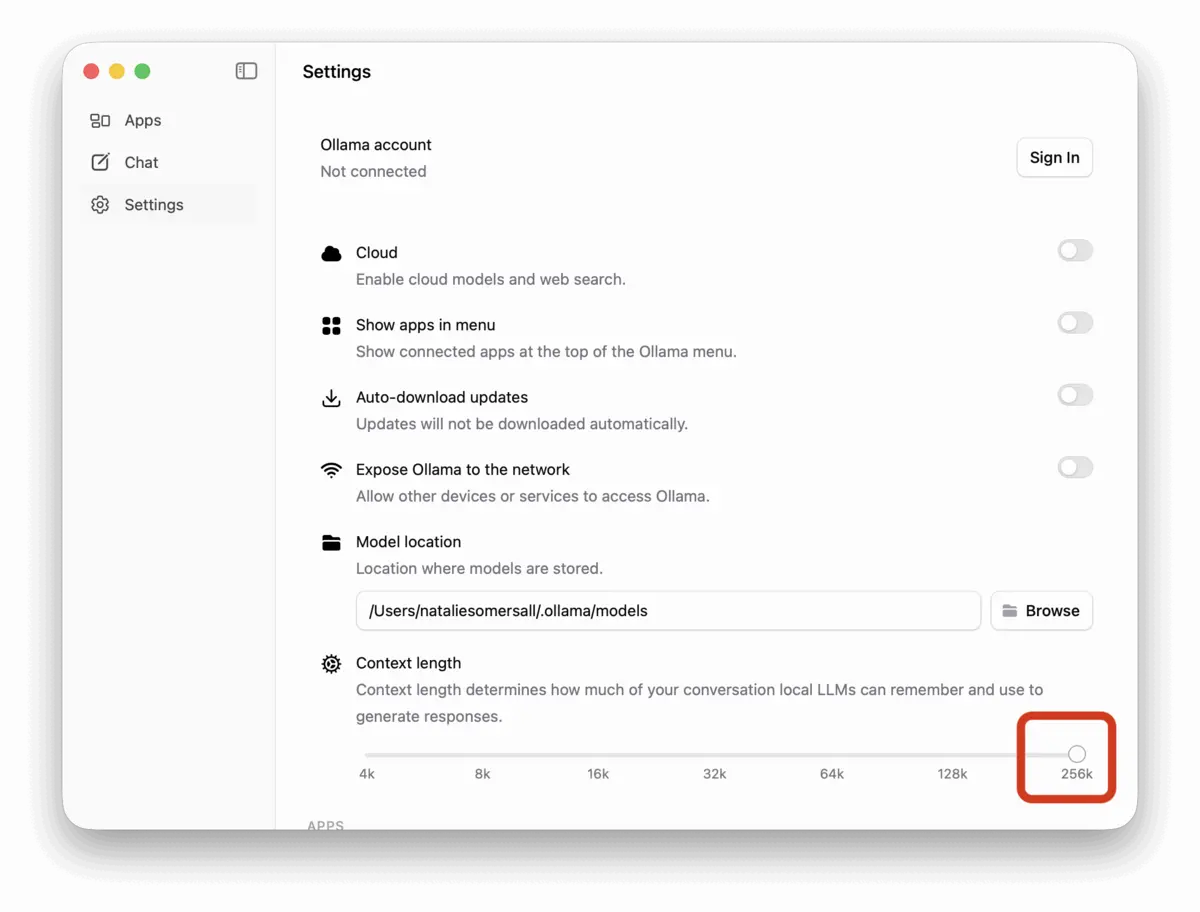 changing the context to the maximum allowed value increases performance substantially
There isn’t an easy way to see system status in the Ollama GUI, so it’s handy to save these two API calls.
1
2
3
4
5

# what's running right now?
curl -sS http://localhost:11434/api/ps

# what models do i have pulled locally?
curl -sS http://localhost:11434/api/tags
Both API endpoints require no authentication locally and return a JSON response, so I usually pipe it to jq to view in the terminal or to pbcopy to paste it into my json viewer. The API docs are worth saving if you’re wanting to build more robust dashboards or apps directly on top of it.
What models do I need?
It depends on what you want to do, since different models do different tasks well. 🤷🏻♀️
Embedding models take in data and create vectors for a database. These are used for lots of reasons, but in our context it’s usually retrieval-augmented generation (RAG), or using search results to better guide the LLM towards what we’re working on. Lately, I use Google’s embeddinggemma-2 .
Decision models are the new hotness. It’s a specialized model that can quickly classify text into pre-defined categories, give yes/no answers, or use a simple rubric to grade inputs. They’re usually much smaller and cheaper to run than using general-purpose large language model for the same task. I have tried a few of the ones in Ollama’s catalog and haven’t settled on one yet. There’s still only one at each major model size from <1 billion parameters to almost 30 billion parameters.
General purpose models are exactly that. I use Google’s gemma4:31b mostly, then add in IBM’s granite4.1:30b and nVidia’s nemotron3:33b too. These are the defaults for all of my non-coding tasks. It’s handy to have models work opposite each other on larger tasks and there’ll be a few workflows later that do just this.
Coding models are usually tuned general models, although ometimes they are specifically trained or tuned for exactly this task. My daily driver lately is Poolside Laguna XS 2.1 . I use it directly in my coding harness.
It’s terribly difficult to write about subjects that change several times a day. While these are a few I use often as of writing this, use it as a starting point as we build out the rest of the system and know it’ll change all the time too. 🤷🏻♀️
Models have bias and bias is political

There are some political sensitivities to bear in mind when choosing models, just as when choosing inference providers. It’s obvious to question what happens to your data when renting capacity to process it on someone else’s hardware. It’s not so obvious all the ways that self-hosting doesn’t inherently fix these problems.
Self-hosting inference for models doesn’t account for securing the harness and all auxiliary software such as skills, hooks, and other tools. Just last month, a model lab behind a popular open-weight model was caught silently uploading all code . About a month before that, xAI’s Build was doing the same thing . Even if those harnesses were pointed at local compute for inference, it could have still been attempting to exfiltrate data.
Likewise, understanding the bias inherent in the model is another challenge not solved by self-hosting. As an example, if you ask a Chinese model about topics their government considers sensitive, it may refuse to answer or provide an untruthful result more frequently no matter whose hardware it runs on. When results are probabilistic, the bias that could quietly derail or negatively influence the task you’re using it for becomes much harder to prove. Think of bias as playing on a tilted field but having no simple way to measure it.
Funny enough, this bias as a marketplace convention is well-known in the entertainment world. While basically no one in the US noticed Weird Barbie’s world map in 2023’s Barbie movie, this was censored in multiple countries as a territorial dispute along a dashed line in the South China Sea … which is roughly near that eastern side of the child-like blob labeled “Asia” in a supporting prop that has perhaps 3 seconds of total screen time.
Supporting services

Soon, we’ll start to build supporting services around these local models. Some will intercept data coming in and out of the model and store it. Others query and view it as dashboards too.
For these, I’m going to provide example code to be used with Docker Compose or a compatible tool like Podman . This keeps things simple for a local stack. In “bigger enterprise” deployments, it’s more common to use SaaS-managed services or Kubernetes. I don’t use Kubernetes for fun. It’s a well-paved path using kompose to swap to Kubernetes for a more enterprise-y setup later if needed.
Test it all out
We have a few models and a service to run them, so now let’s use it!
Ollama ships with a small native interface for chat, but that’s no fun. We’ll want to add some persistent custom context later, as well as add tool usage and the ability to get more data for our chats later on. To build on top of our local compute, we’re going to need to use the API endpoints for the service running the models.
Launch a terminal and let’s start with the API, swapping out the model if needed.
1
2
3
4

curl -sS http://localhost:11434/api/generate -d '{
  "model": "gemma4:31b",
  "prompt": "Explain a linked list data structure like I am 10 years old with an example"
}'
This is going to give us a ton of responses, wrapped in JSON metadata, a few characters at a time. Those characters are “tokens”. It’s the metered quantity of SaaS products or consumable AI compute. Combined, those tokens create a response. Here is the raw JSON output from the command above.
Now add another program filter the output to print a pretty markdown response to the terminal instead.
1
2
3
4

curl -sS http://localhost:11434/api/generate -d '{
  "model": "gemma4:31b",
  "prompt": "Explain a linked list data structure like I am 10 years old with an example"
}' | jq --raw-output --slurp '[.[].response] | join("")'
From here, using your local compute is as simple as following the directions for any software you have to point at it instead of what’s default. Much, if not most by now, of the popular software that uses an LLM can support customizing what compute to use. Apart from self-hosting, re-routing your traffic to another provider allows for cost optimization and data control too, so it’s a common configuration to change now.
Here’s an example, setting my coding agent to use the local options by editing the JSON configuration file.
1
2
3
4
5
6
7
8
9
10
11
12
13
14
15
16
17
18
19
20
21
22
23
24
25
26
27
28
29
30
31

{
  "providers": {
    "local": {
      "baseUrl": "http://localhost:4141/v1",
      "api": "openai-completions",
      "apiKey": "sk-local",
      "compat": {
        "supportsDeveloperRole": false,
        "supportsReasoningEffort": false
      },
      "models": [
        {
          "id": "laguna-xs-2.1",
          "name": "Laguna XS 2.1 (local)",
          "reasoning": true,
          "input": ["text"],
          "contextWindow": 262144,
          "cost": { "input": 0, "output": 0, "cacheRead": 0, "cacheWrite": 0 }
        },
        {
          "id": "gemma4:31b",
          "name": "Gemma 4 31B (local)",
          "reasoning": true,
          "input": ["text", "image"],
          "contextWindow": 262144,
          "cost": { "input": 0, "output": 0, "cacheRead": 0, "cacheWrite": 0 }
        }
      ]
    }
  }
}
From now on, my coding agent will use these two local models. There’s so much more to use locally and this is an easy start. 🎉
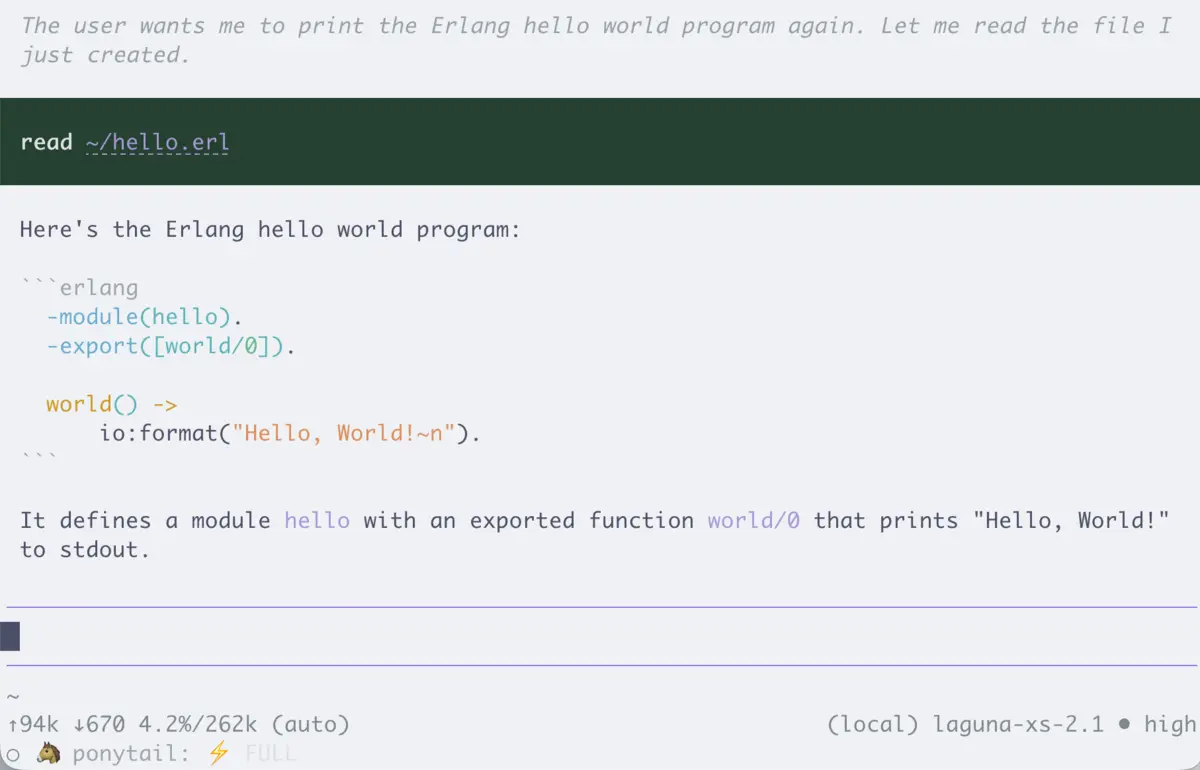
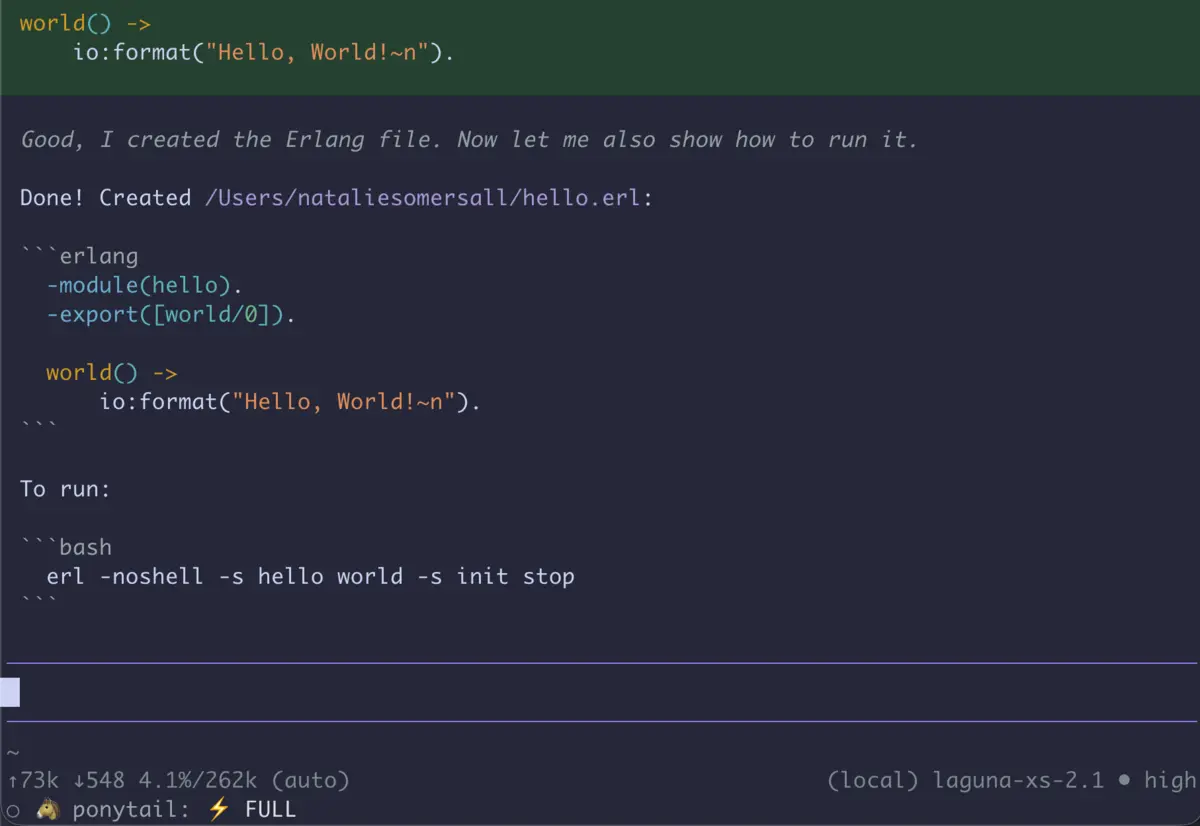 pi, my coding harness, using the local models
Here’s what we’ve built so far:
our simple ending point for today
Next - route traffic where you want it and set services up to look at that instead. This will let you choose what gets sent where for processing, which also opens the opportunity to understand what’s inside that traffic.
Footnotes
This series started out at a happy hour. The group I was in was split evenly between “we’re building almost exactly the same thing” and “I have no idea how to even get started”. Among the first, it’s a shared amusement in a “nature keeps creating crabs ” or “every devops stack ends in GitLab on Kubernetes” way. The discourse doesn’t help the other group feel welcome or get to moving in the same direction either, though. This is for that second group of folks. 🥰