Building a yum repo in GitHub Pages
But why though?
I’ve been running a kernel build with a patch to enable addressing of identical hardware individually for around 8 years. Until now, users would have to either build it themselves with those directions or go to the GitHub repo and download a zip file to install the packages manually. Neither are easy or friendly to use. Building the Linux kernel for dedicated hardware VMs outlines more about why and how to use the project, but this piece is about creating a RPM repository using only GitHub features.
When a user opened a GitHub issue to create a COPR (community) repo for the project, I was excited! It’s a great idea, only that I personally didn’t have the time to implement it until getting some agentic AI support1. A repository would allow for users to get updates with the rest of their software with the same update utilities as everything else. Configure it, then just chill and get updates as they are built. 😎
Install directions for the yum repo are available for using the RPMs. The new build and publish pipeline should be reusable for your own RPM files and GitHub (either self-hosted or cloud).
Yum is a delightful repo format
It’s a specific format for RPM packages (basically tarballs) to be consumed by dnf (the new yum). Packages are always served in specific locations. The package manager knows where to look and who to trust based on each .repo file in /etc/yum.repos.d/ … that’s it.
1
2
3
4
5
6
7

[acs-override]
name=ACS override kernel for Fedora $releasever
baseurl=https://some-natalie.github.io/fedora-acs-override/fc$releasever/
enabled=1
gpgcheck=1
repo_gpgcheck=1
gpgkey=https://some-natalie.github.io/fedora-acs-override/RPM-GPG-KEY-acs-override
Line by line, it’s reasonably self-explanatory.
- The short identifier of the repository to configure.
- The longer human-friendly name for the repository.
- The URL it’s served from, allowing variables to prevent rewriting the same stanza multiple times.
- If the repository is enabled
- Whether to check the GPG signature of the packages.
- Whether to also check the GPG signature of the repository metadata.
- Where to find the public GPG key used for signing.
There are more options and configurations to play with, outlined in the helpful man page . Having run a bunch of these over 10 years ago for a prior job, these haven’t changed much and that’s not a bad thing. This is more than plenty for my little project.
It’s possible to sign both or neither or only one of the RPMs (the packages a user consumes) and the repository metadata (that tells users where/what to update). It hasn’t always been that way. The default is to sign the packages, but not the metadata. I chose to sign both with the same key, since modern Red Hat-based distributions support it.
For a yum package repo, the server has to serve the files in the format below:
1
2
3
4
5
6
7
8
9

.                                 # Repo root, like `/var/www/html/repos/` or an HTTP(S) site
├── repodata/
│   ├── repomd.xml                # Main metadata descriptor (checksums of other files)
│   ├── primary.xml.gz            # Core package data (dependencies, provides, sizes)
│   ├── filelists.xml.gz          # Full list of files included in each RPM
│   ├── other.xml.gz              # Changelogs and non-core package info
│   └── *.sqlite                  # SQLite database equivalents of the XML metadata
├── package-1.0-1.el9.noarch.rpm  # Individual RPM software package
└── package-2.1-4.el9.x86_64.rpm  # Individual RPM software package
These XML files, and gzipped archives of the larger XML files, are all created programmatically by createrepo_c (man page and GitHub ). Point it at a directory full of built packages and it’ll create all of these files for you. It’s that simple.
🤔 So I need some CI/CD compute, secret storage, the ability to serve static websites, and a place to store release artifacts … these are all native to GitHub. Why not??
Making the git repo better for AI without making it worse for me
There are a lot of simple implementation tasks on well-defined features. This is a great project to delegate to AI agents to do the heavy lifting. However, I have some changes to make to this project in order to use AI effectively and minimize the risks/rework associated with AI-led development. Let’s do that first.
Automated feedback is cheap
First, let’s brush up on the linter configuration. This is the easiest and least complicated feedback and I’ve been using the super-linter for GitHub for years. AI code can be all over the place for tabs-vs-spaces, line breaks, and naming conventions. A consistent opinion across the codebase makes maintenance easier as the contributors, both human and robot, grow.
Since this repository won’t grow or change, only to rebuild the same packages with the same patch daily, I omitted investing more in this beyond a one-time pass. Going forward, maintenance is merging Dependabot PRs on GitHub Actions and changing the Fedora versions.
Move in-line YAML to discrete shell scripts
Next, AI tends to do better across many smaller files than larger ones, even when the larger files are well-structured. Given that so much of the GitHub Actions workflow files are YAML with in-line Bash scripts, refactoring this to improve reuse also would improve how well an LLM can generate useful code.
Do this:
1
2
3
4
5
6

    - name: Compare upstream kernel against what's published
      id: check
      env:
        GH_TOKEN: ${{ github.token }}
        FORCE: ${{ inputs.force }}
      run: .github/scripts/check-kernel-version.sh
1
2
3

#!/bin/bash
# lots of comments because AI coding tools are all pretty verbose
# actually doing the thing
Not this:
1
2
3
4
5
6
7
8

    - name: Compare upstream kernel against what's published
      shell: bash
      env:
        GH_TOKEN: ${{ github.token }}
        FORCE: ${{ inputs.force }}
      run: |
        # do the thing
        set -euo pipefail
The changes make it easier for AI to work on the codebase, but it also makes it easier for humans too. Passing a file through a single-purpose tool, like a shell script through shellcheck and the surrounding GitHub Actions YAML through Zizmor , is two simple tool calls versus one harder one. The pattern isolates changes and allows reuse without refactoring.
Summarize context for humans first
AI code is generally too wordy, even when using additions to encourage concise language or limiting comments. To help humans quickly orient themselves in the codebase, always put the bottom line up front (BLUF) in a readme file. The goal is to tell folks what’s going on in 15 seconds or less. After adding a bunch more scripts from the refactoring above, the README.md file for the ~/.github/scripts directory has a quick table and a little more detail below.
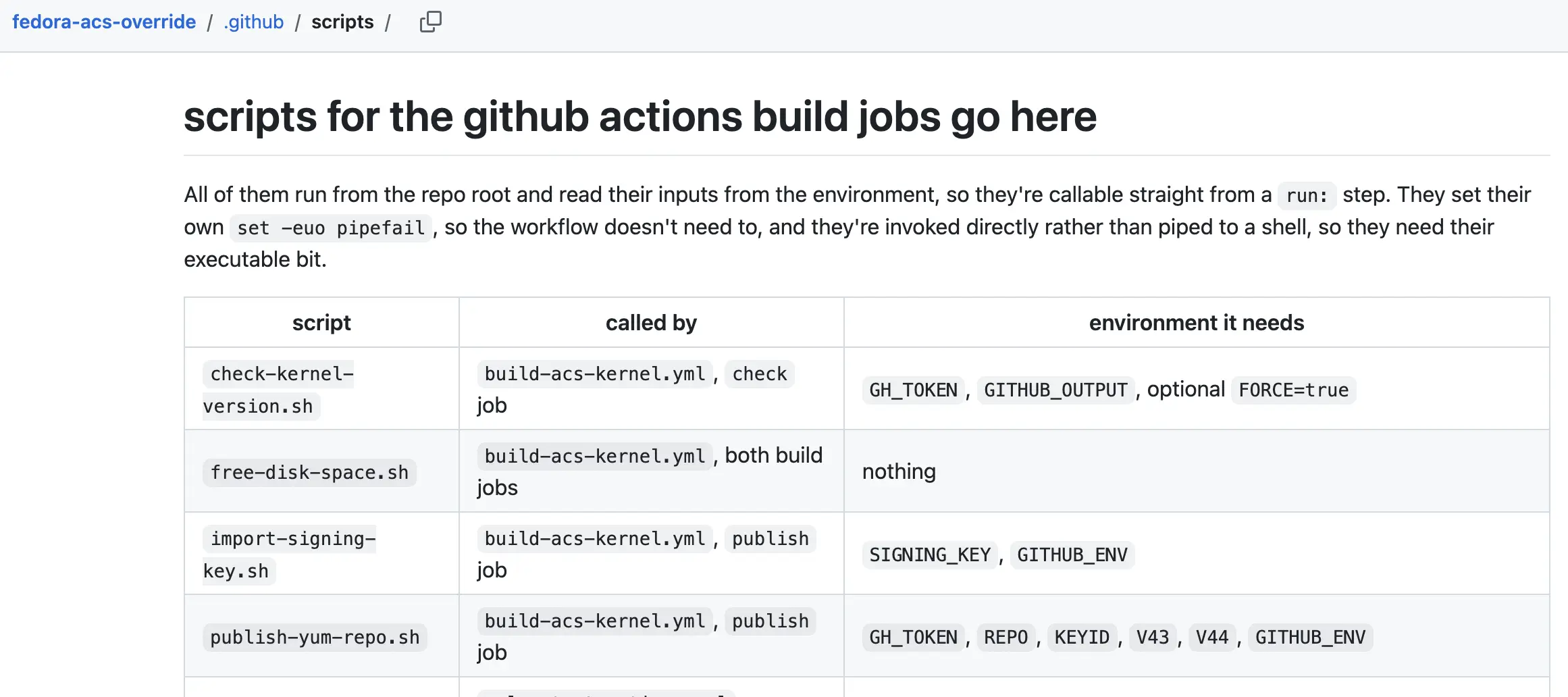
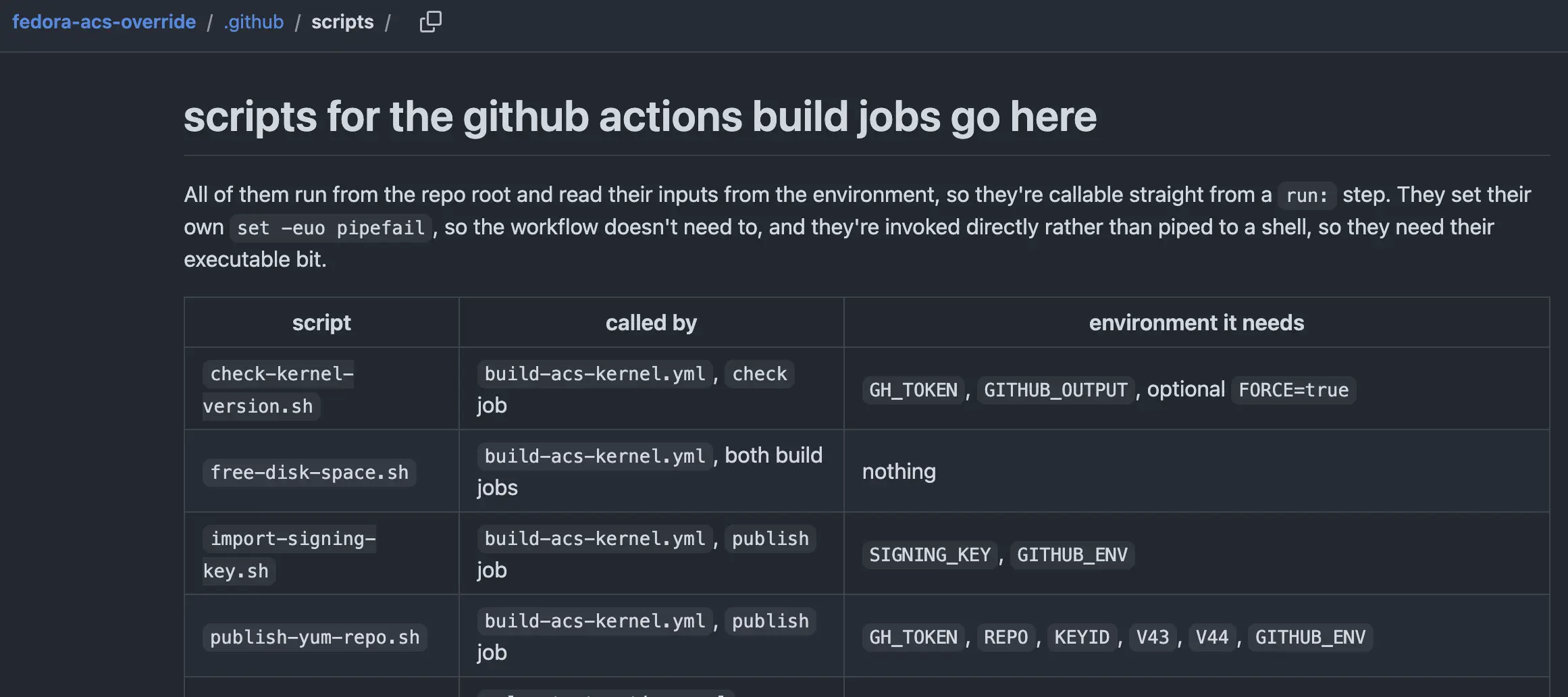 a human-focused “bottom line up front” readme
Many of these are best practices when you have lots of random folks come through anyways. Most folks don’t have to consider this, since a team at work doesn’t have “drive by” contributors or change teammates constantly. LLM-driven code contributions made some bad habits obvious.
GitHub has all the building blocks, but not the feature
GitHub has all the parts to build and run a yum repo for RPM packages natively and for free, just not exactly what it was designed to do all together. Here’s what we’ll end up with:
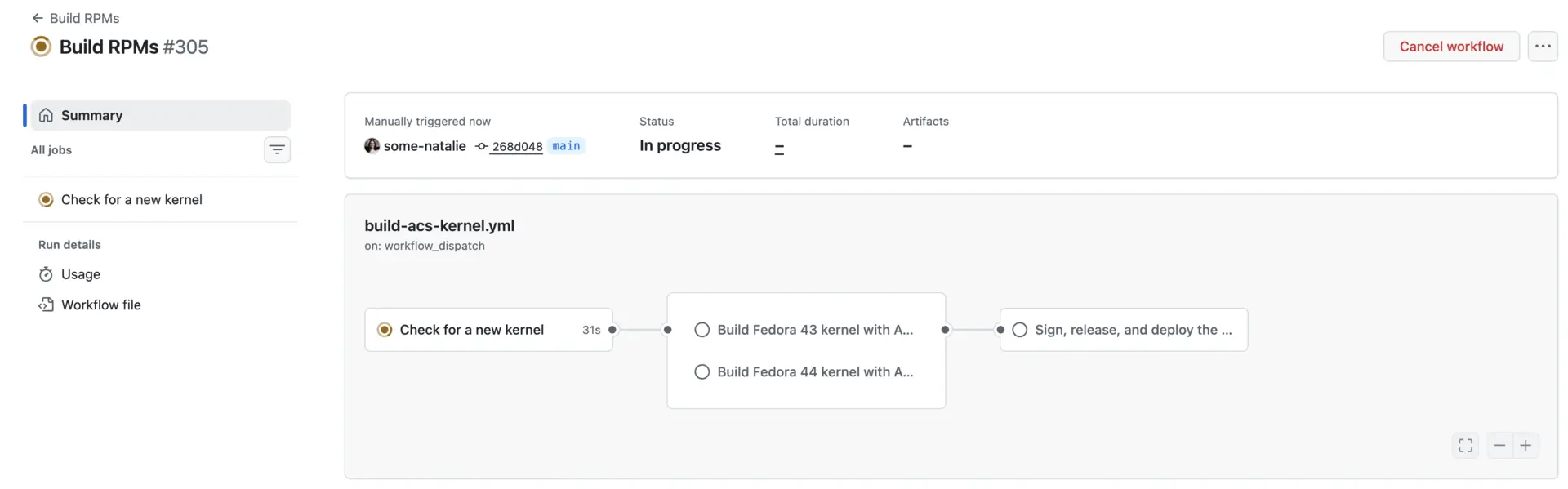
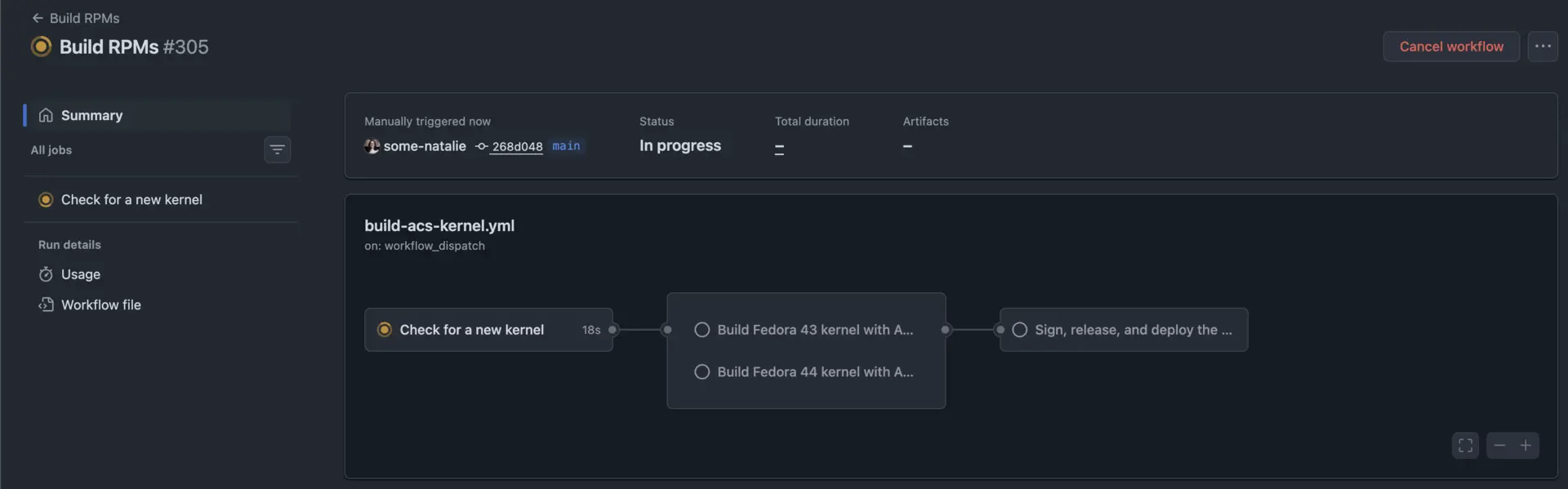 the shiny new pipeline
Use releases to store the finished builds
The first little problem is how to store several hundred MBs of built artifacts. Sadly, GitHub Packages doesn’t support an “arbitrary blob” format that can be used for yum or dnf. OCI registries, like GitHub’s container registry (GHCR), don’t work with dnf. There’s an experimental plugin and some discussion on the upstream Fedora boards, but that’s not a stable solution yet. To do this, the workflow uses the kernel release version and mints a new git tag at that.
1
2
3
4
5
6
7
8
9
10
11
12
13
14
15

# list releases that already exist
releases=$(gh release list --repo "$REPO" --limit 200 --json tagName,isDraft \
  --jq '.[] | select(.isDraft == false) | .tagName | select(test("^[0-9].*\\.fc[0-9]+$"))')

# many edge case checks and guardrails go here, the "meat" of this is buried in nested if/else/fi loops on line #88
if gh release create "$tag" --repo "$REPO" --draft \
  --title "kernel-acs-${tag}" \
  --notes "Fedora ${fc} kernel ${tag} with ACS override patch applied." \
  "$work/$tag"/*.rpm &&
  gh release edit "$tag" --repo "$REPO" --draft=false &&
  [ "$(gh release view "$tag" --repo "$REPO" --json isDraft --jq .isDraft)" = "false" ]; then
  # only the RPMs this run actually published are worth attesting
  printf 'PUBLISHED_FC%s=%s\n' "$fc" "$work/$tag" >>"${GITHUB_ENV:-/dev/null}"
  releases=$(printf '%s\n%s' "$releases" "$tag")
fi
The releases are immutable, so no change can happen to the “hands-off” build once it occurs. Unfortunately, failed builds require waiting until the next version, but that’s a small problem to deal with compared to being able to know no one can mess with the RPM packages during/after they’re built.
Check if there’s a new version every day
Since there can never be a duplicate build of the same verison due to immutable releases, the build should be skipped if it already exists. The first step checks if there’s a newer version in each fc43 and fc44 available, then skips the rest of that version’s build if it isn’t new. It runs a new ~/.github/scripts/check-kernel-version.sh script, a simple loop that runs dnf repoquery to extract the kernel version in the official upstream docker image’s floating version tag. Since those images are rebuilt very frequently, it’s a simple proxy to what’s been built.
Only build when there’s a change
The project builds on GitHub’s free, hosted build compute. It takes roughly an hour or two to build at that compute tier. In the prior model, the job ran once a week and built itself no matter what. Since I’d like this to be both more efficient on compute and faster to deliver updates than once a week, let’s add a step to check if a version has been built already. This means running daily becomes much more viable.
The check-kernel-version.sh script also lists the existing releases in the GitHub repository. The decision to build or not is made by comparing the latest release and the latest container’s kernel version for each Fedora version that’s active.
Sign the finished product
The last step in the Actions pipeline signs the finished RPM packages from the prior two or three Fedora versions, then creates a yum repository out of GitHub Pages for them. To do this, I needed to create and add a GPG key for signing. RPMs don’t support short-lived keys easily, so it’ll be creating a key pair manually and uploading it.
The private half becomes a secret used to sign the packages. It’s critical to lock down which workflows have access to this. It can only be read by tasks running within the github-pages environment, which is only used by the pipeline step that signs and uploads the yum repo.
Serve the packages in the native format
The last part of the publish-yum-repo.sh does a few things.
First is it only serves the latest 5 versions of the kernel in the yum repo. The older releases stay forever in GitHub, but a repo for automatic updating probably doesn’t need to keep anything older than that programmatically available.
1
2
3
4
5
6
7
8
9
10
11
12
13
14
15
16
17
18
19
20
21
22
23
24
25
26

# filter for the latest 5
for tag in $kept; do
  dir="$work/$tag"
  # download the kept releases to republish
  if [ ! -d "$dir" ]; then
    mkdir -p "$dir"
    gh release download "$tag" --repo "$REPO" --dir "$dir" --pattern '*.rpm'
  fi
  # list the unsigned RPMs
  unsigned=$(sudo rpm --checksig "$dir"/*.rpm | grep -v 'signatures OK' || true)
  # don't publish them, but do yell loudly about it
  if [ -n "$unsigned" ]; then
    printf '%s\n' "$unsigned"
    echo "::error::the RPMs above are unsigned, refusing to publish"
    exit 1
  fi
  # create the repo structure
  createrepo_c --baseurl "https://github.com/${REPO}/releases/download/${tag}/" "$dir"
  # merge it with the existing stuff
  merge_args+=("--repo=$dir")
done

# each package keeps the xml:base of the release hosting it, which is what lets one
# dnf repo span several immutable releases instead of one mutable release
mergerepo_c --all "${merge_args[@]}" -o "site/fc${fc}"
gpg --batch --yes --detach-sign --armor "site/fc${fc}/repodata/repomd.xml"
Make it a little easier for humans too
Yum repositories do not need to be viewable or browseable over the internet at all, but it does seem nice to have. Doubly so, since GitHub Pages doesn’t just list all the files by default. To double down on simple directions, I added a vanilla index.html file to go with the GPG public key used to sign everything and repo config file . This script merges these files in to the Pages content too.
Now it’s automatically published at https://some-natalie.github.io/fedora-acs-override/ for browsing, using, and easy use. 🎉
Set it up
It’s now no different than literally any other RPM repository. Add the repo, update the package cache, check and trust the signing key, and … that’s it.
1
2
3
4
5
6
7
8
9

sudo dnf config-manager addrepo \
  --from-repofile=https://some-natalie.github.io/fedora-acs-override/acs-override.repo

sudo dnf install \
  kernel-acs \
  kernel-acs-core \
  kernel-acs-devel \
  kernel-acs-modules \
  kernel-acs-modules-extra
Set up the repo and test it out:
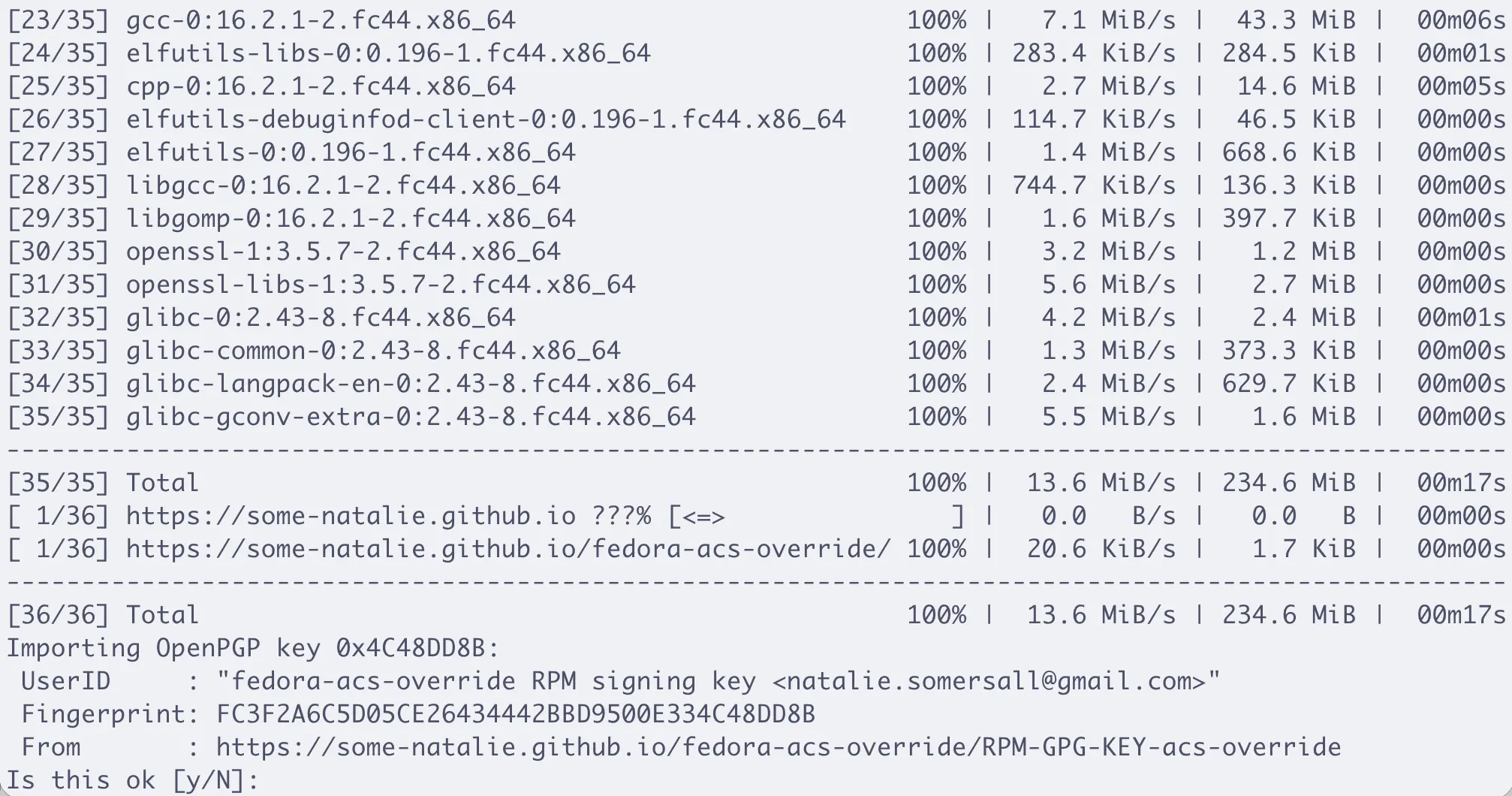
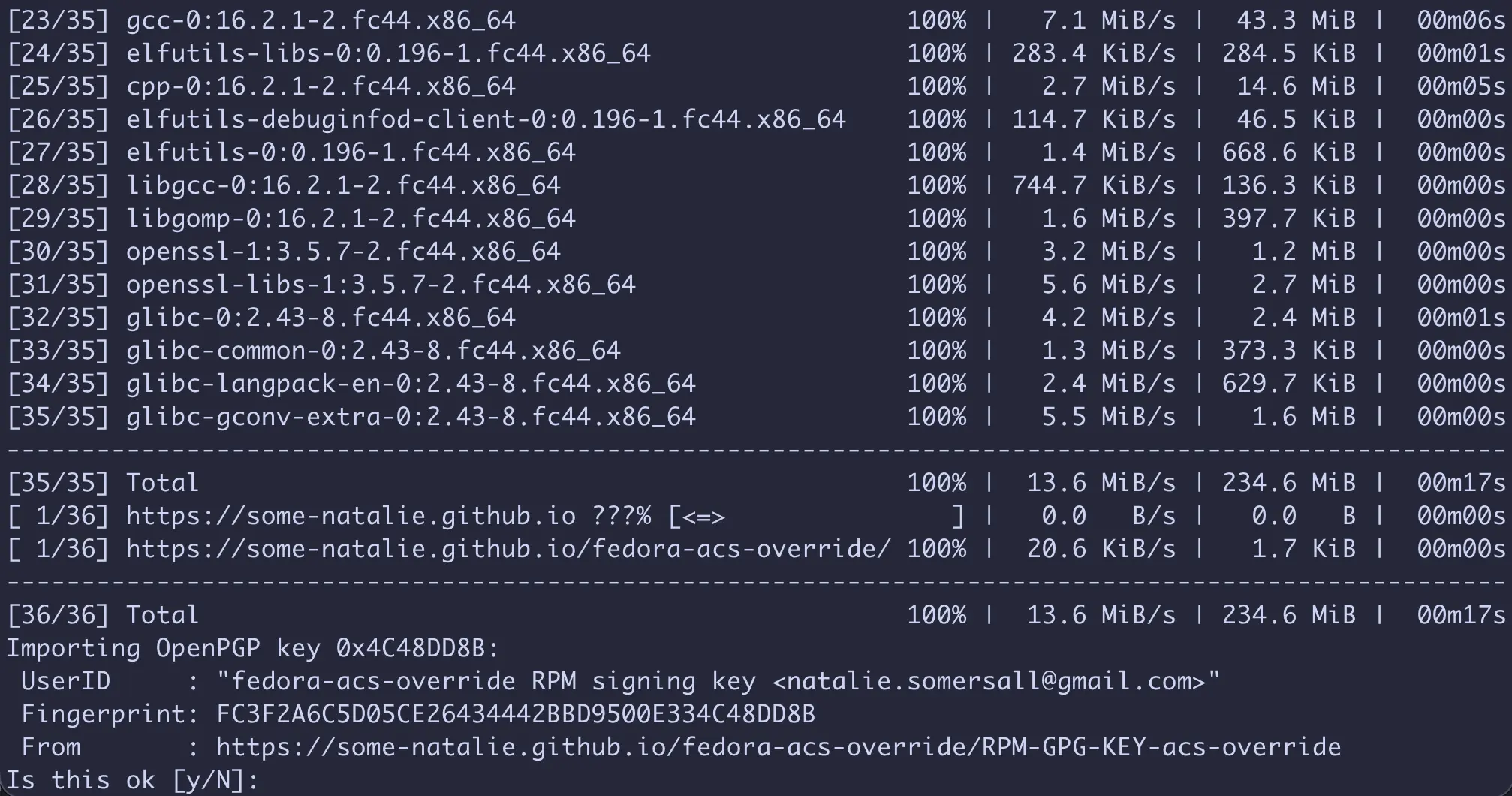
Verify the key and trust it
1
2
3
4
5
6

$ curl -sS https://some-natalie.github.io/fedora-acs-override/RPM-GPG-KEY-acs-override \
  | gpg --show-keys --with-colons \
  | grep -q '^fpr:::::::::FC3F2A6C5D05CE26434442BBD9500E334C48DD8B:' \
  && echo "RPM-GPG-KEY-acs-override: OK" || { echo "RPM-GPG-KEY-acs-override: FAILED"; false; }

RPM-GPG-KEY-acs-override: OK
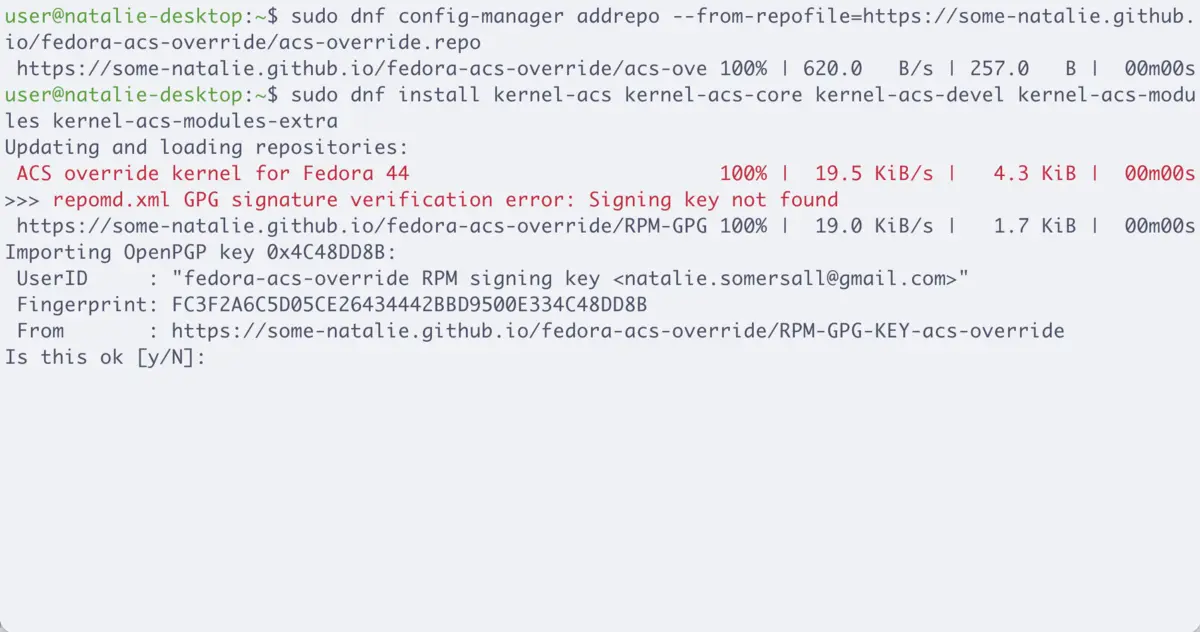
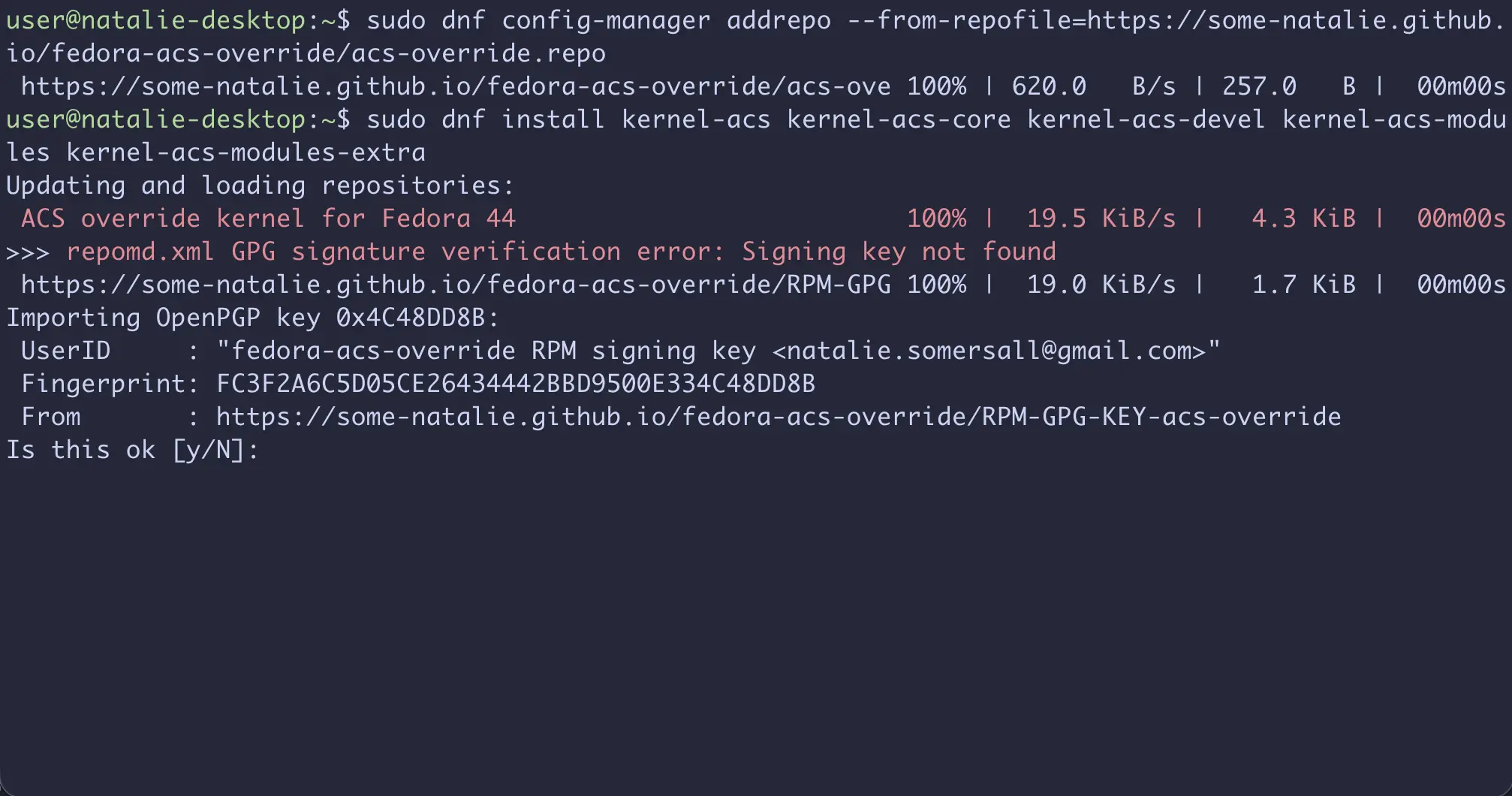
Install, reboot, and verify
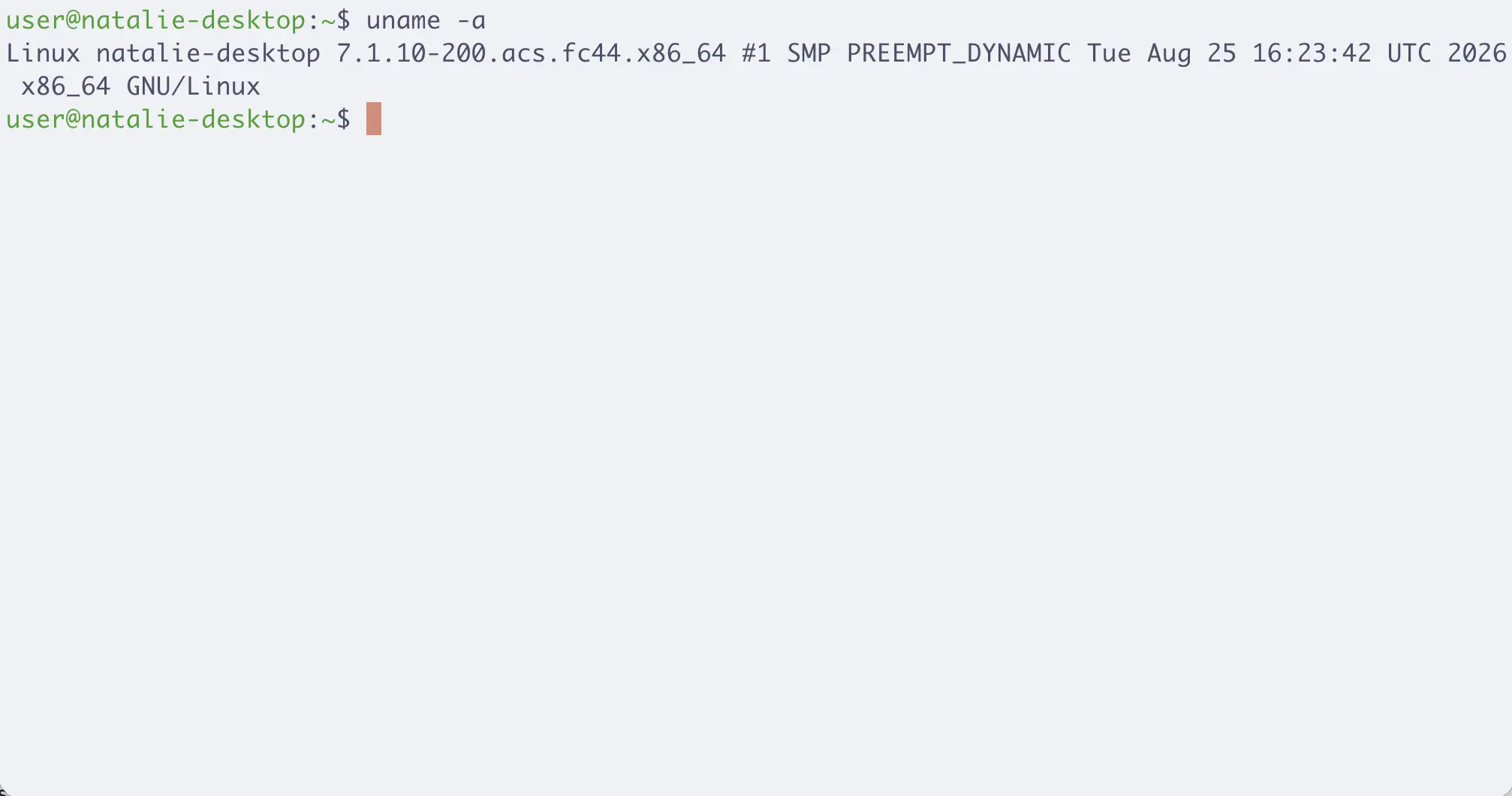
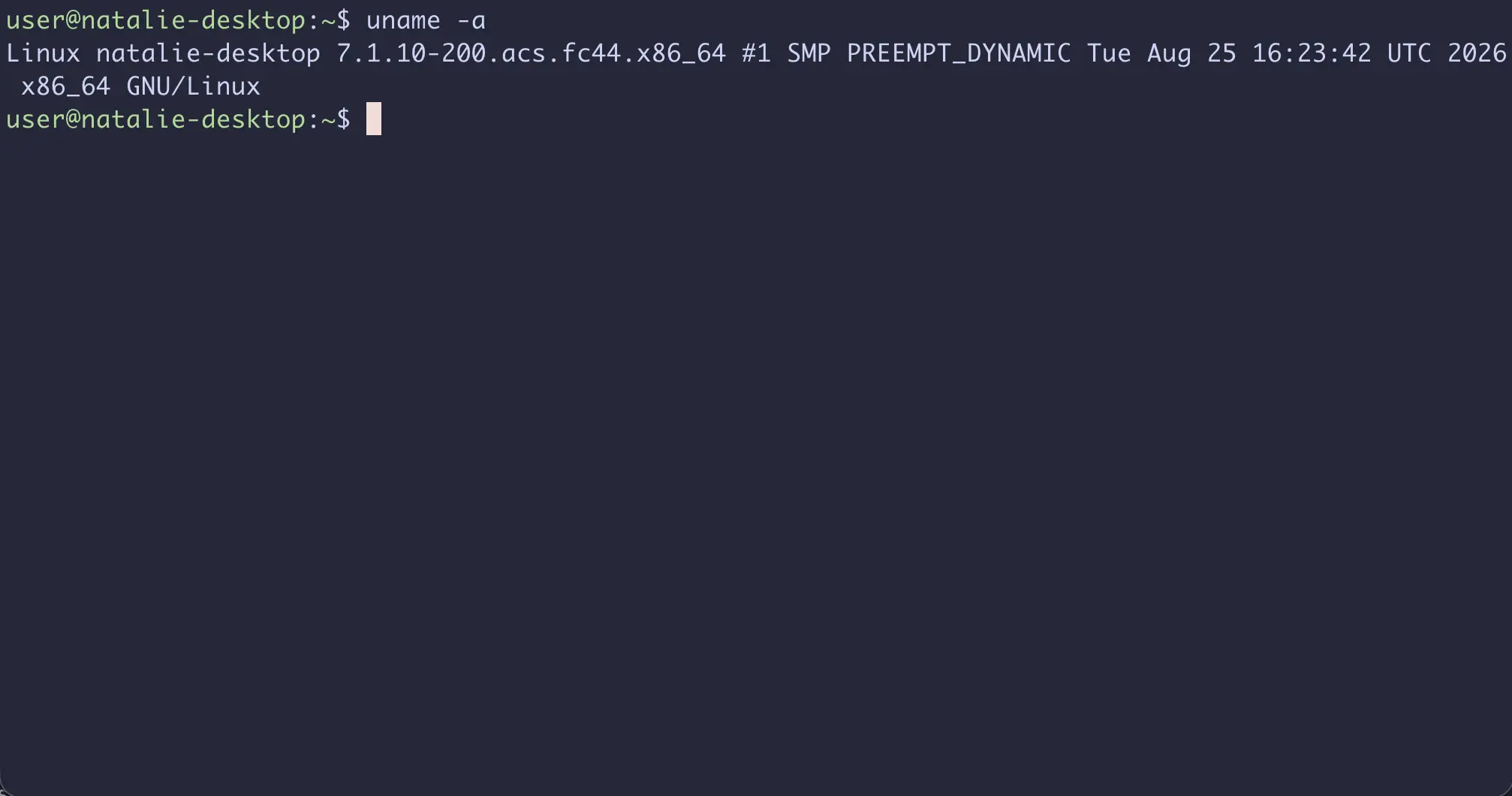
Hooray! It’s now just a part of the system updates, day by day keeping itself stable.
Footnotes
-
AI was used heavily in developing this feature. Building a yum repo off GitHub features is stitching together well-documented components in a new way. It was not used in writing or editing this piece. ↩