Container Escapes 101
AppSec Village
@ DEF CON 34
SSID = AppSec Village Workshops
Password = container-escapes
Hi, I'm Natalie!
I do application security, supply chain threat modeling, and software factory stuff for the public sector ... now with humans and AI.
I work in the public sector.
All opinions and snark my own.

Where we're going
- (start some setup)
- What's a container?
- The security boundaries around our container
- What do we mean by escape?
- Where this fits in an attack
- What do we have to work with here? (enumerate)
- Escape time!!!
- Some thoughts on AI 🤖
- Where to learn more 📚
Setup!
From a vanilla Ubuntu VM (24.04 tested, both x86_64 and aarch64 acceptable)
wget https://raw.githubusercontent.com/some-natalie/some-natalie/refs/heads/main/container-security/ubuntu-setup.sh

wget https://raw.githubusercontent.com/some-natalie/some-natalie/refs/heads/main/container-security/pull-all-images.sh

sudo bash ubuntu-setup.sh

sudo reboot

bash pull-all-images.sh
What's a container, anyways?
Take a trip in the wayback machine
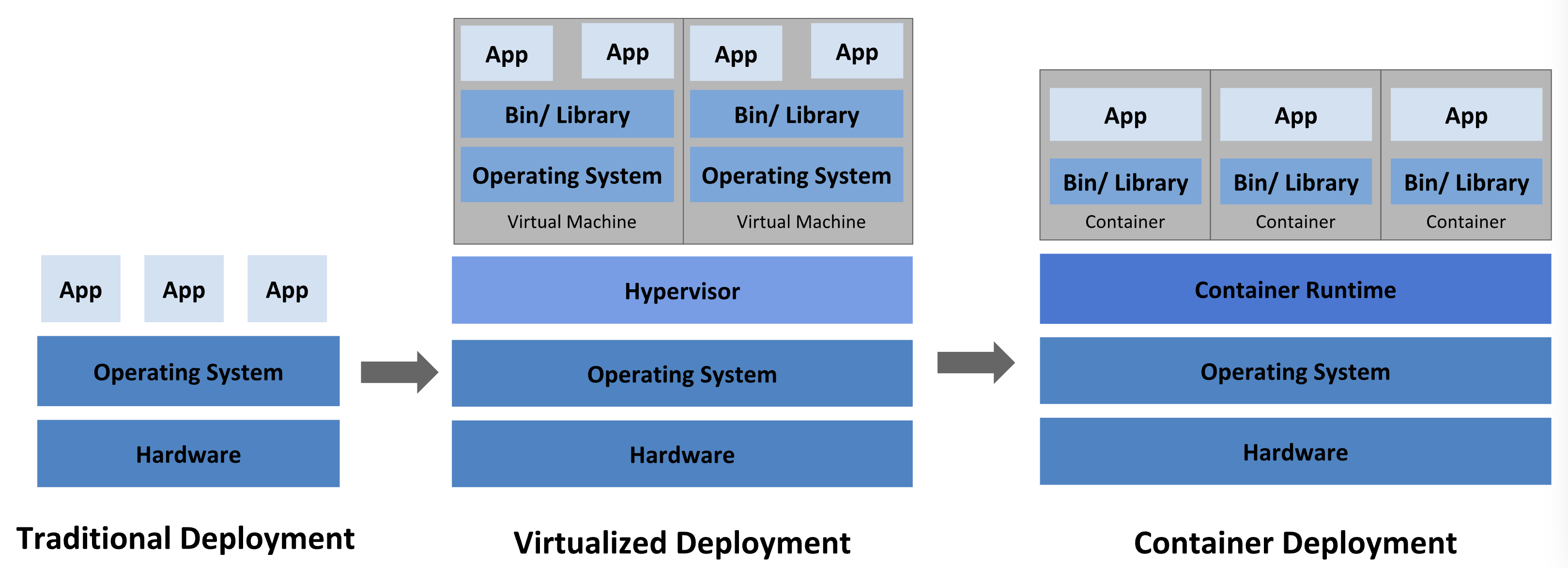
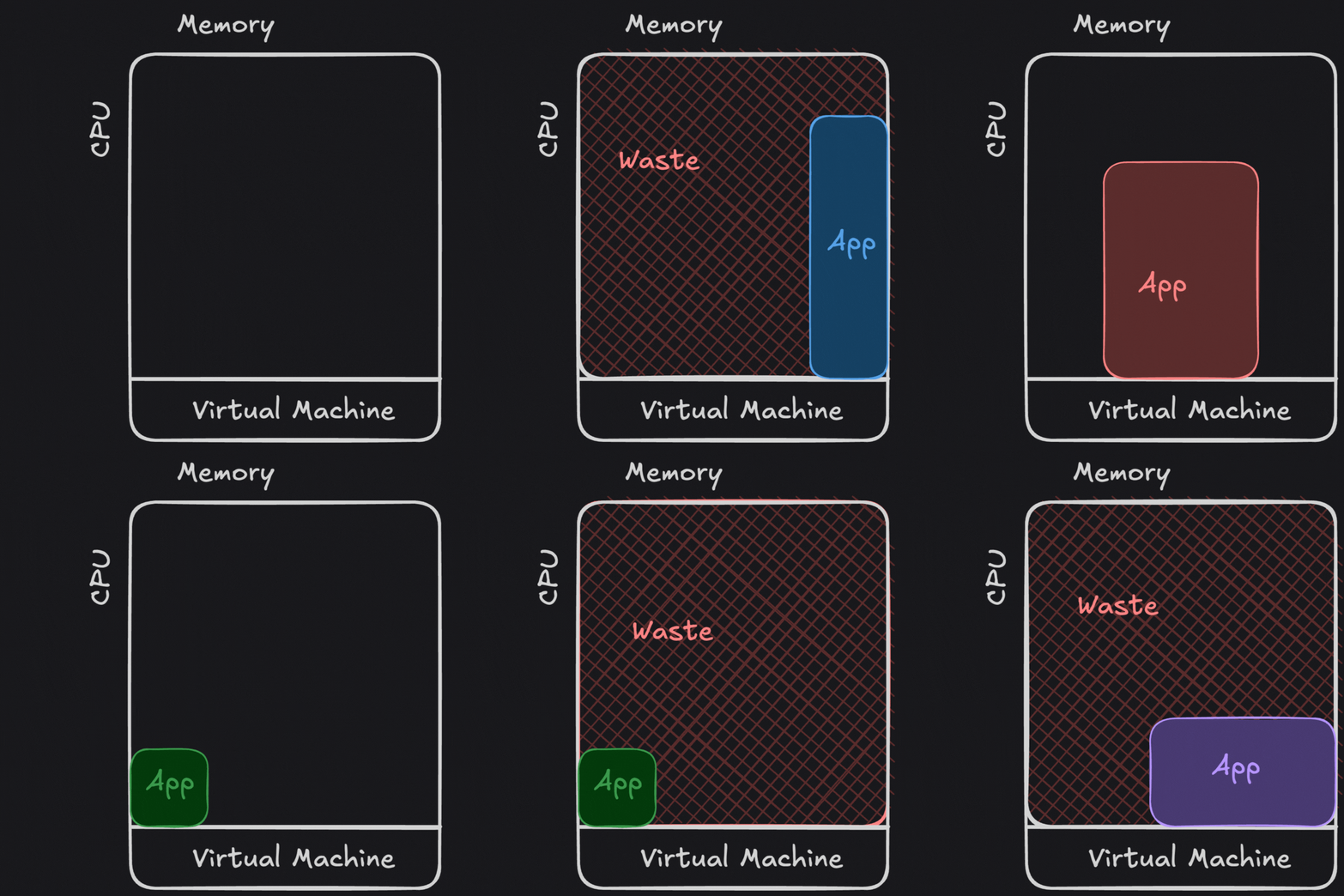
But why though?
- Managing this took time.
- Reducing "waste" needed skill.
- Performance tuning wasn't easy either.
- This costs time and money.
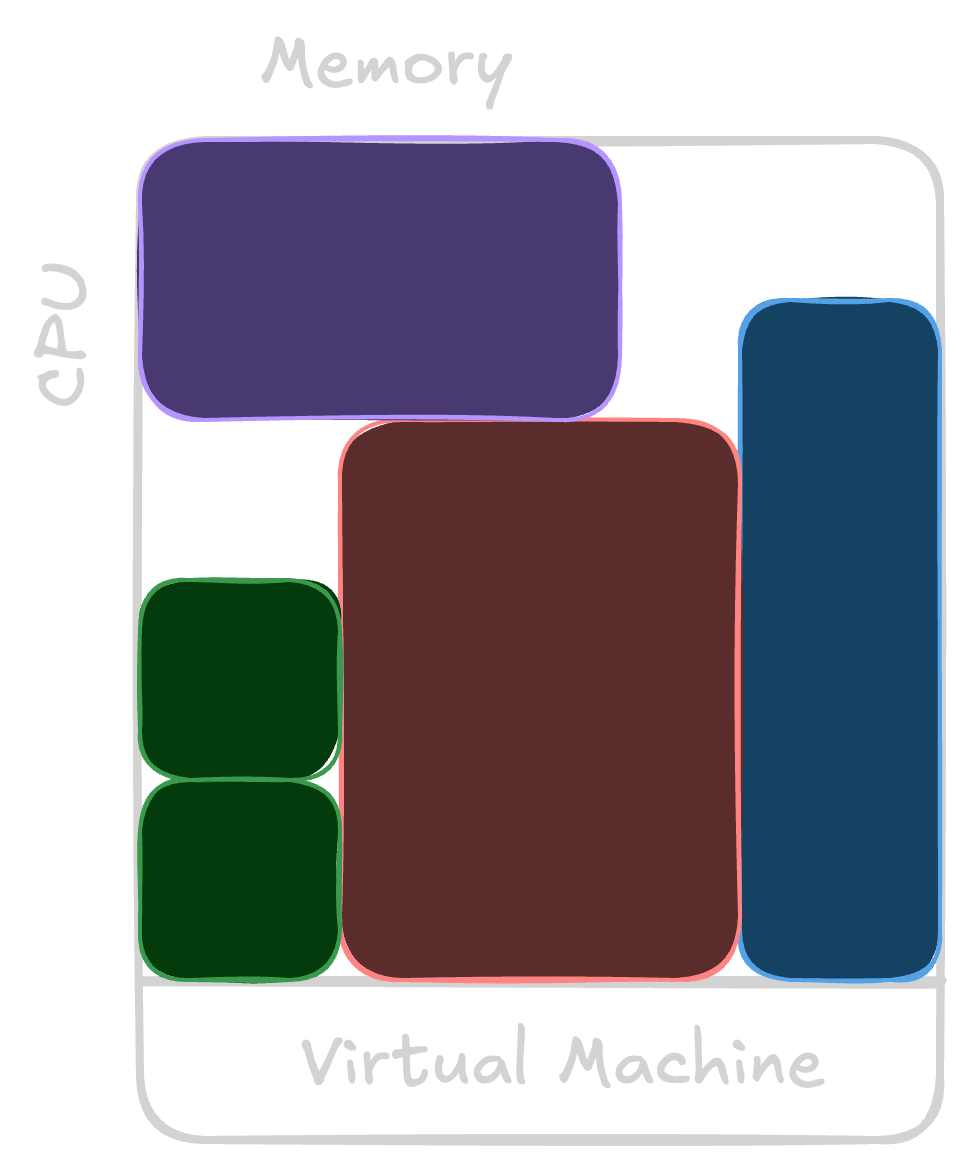
Constraint
Containers are an abstraction
-
resource management
- reduce waste
- scales where needed
-
"reusable bits" such as
- authentication
- load balancing
- metrics and observability
- log forwarding!
- ... so much more ...
- speeds time to production
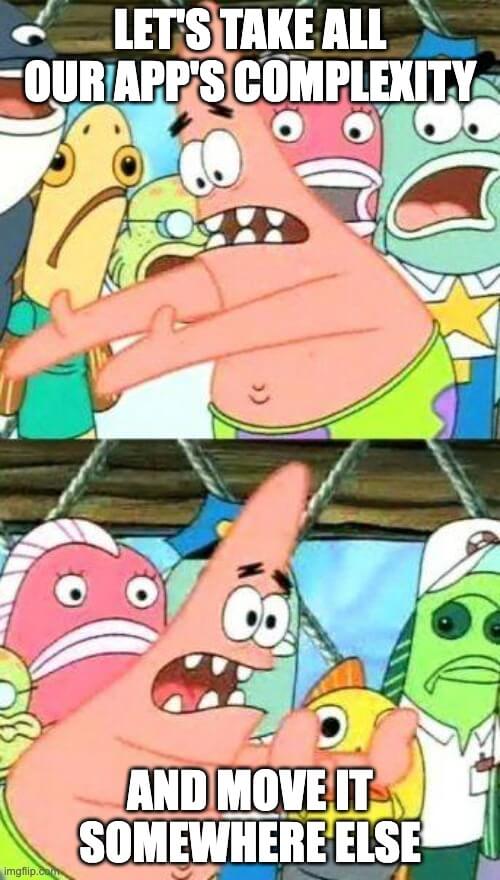
I was promised simplicity
- Run as many copies as needed at the same time, in parallel, with no time needed to scale up/down
- Remove dependency hell across different processes that share the same host machine
- Declare dependencies between services without hacky scripts or init systems
-
"Lift and shift" from my
makefilesorJenkinsfilesinto aDockerfileto build and run anywhere I want - Get rid of Puppet (or Ansible, Chef, etc...)
- Separate persistent states (data) from ephemeral workloads (tasks)
- "Livestock not pets"

What is a container, anyways?
(the ten-thousandth iteration of software distribution)
If it isn't a virtual machine, what is it?
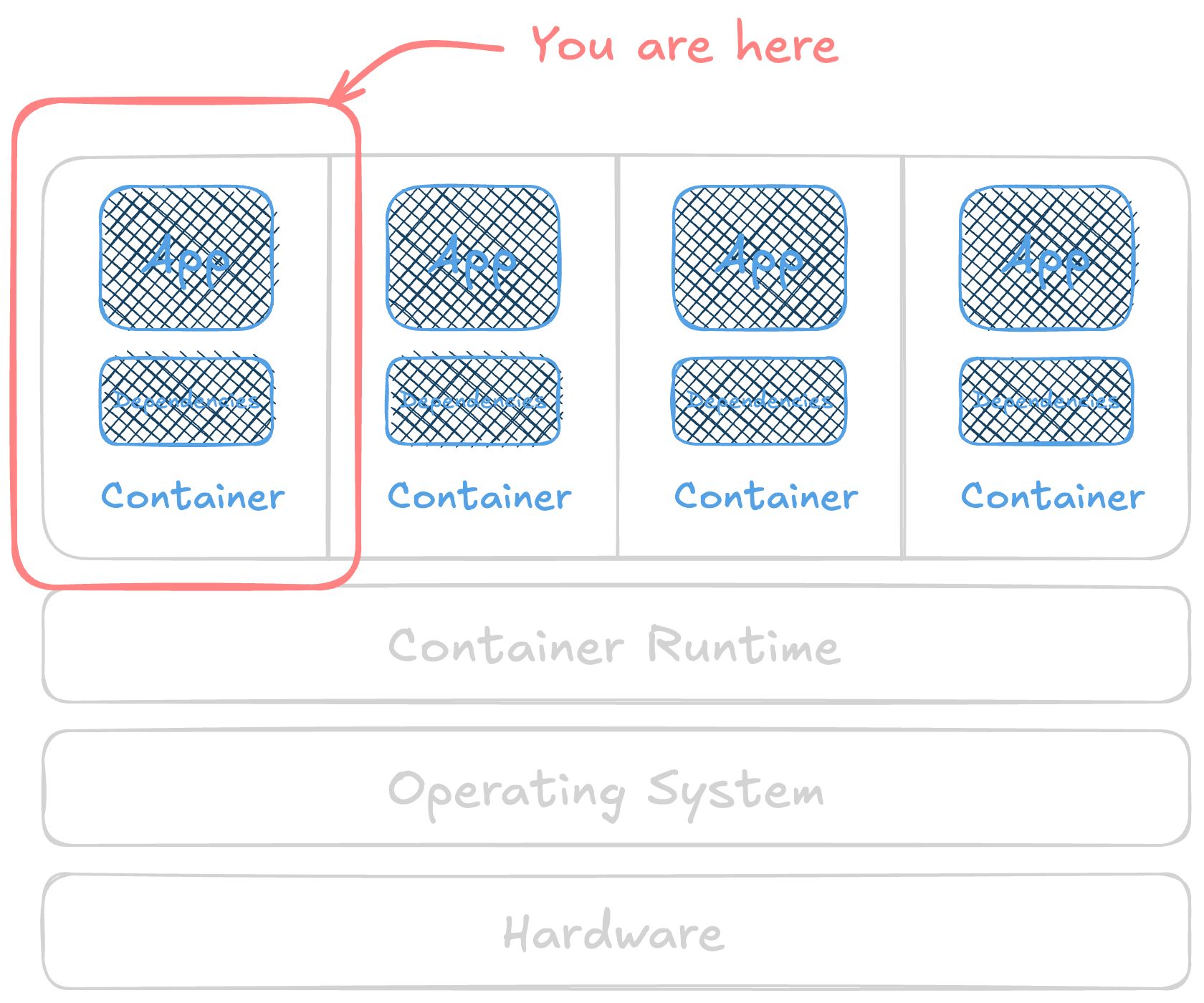
It's a Linux process that carries along its' own dependencies.
✨ It isn't as isolated as you think ✨
Honestly, it isn't really isolated at all. At least not by default.
But it's convenient!
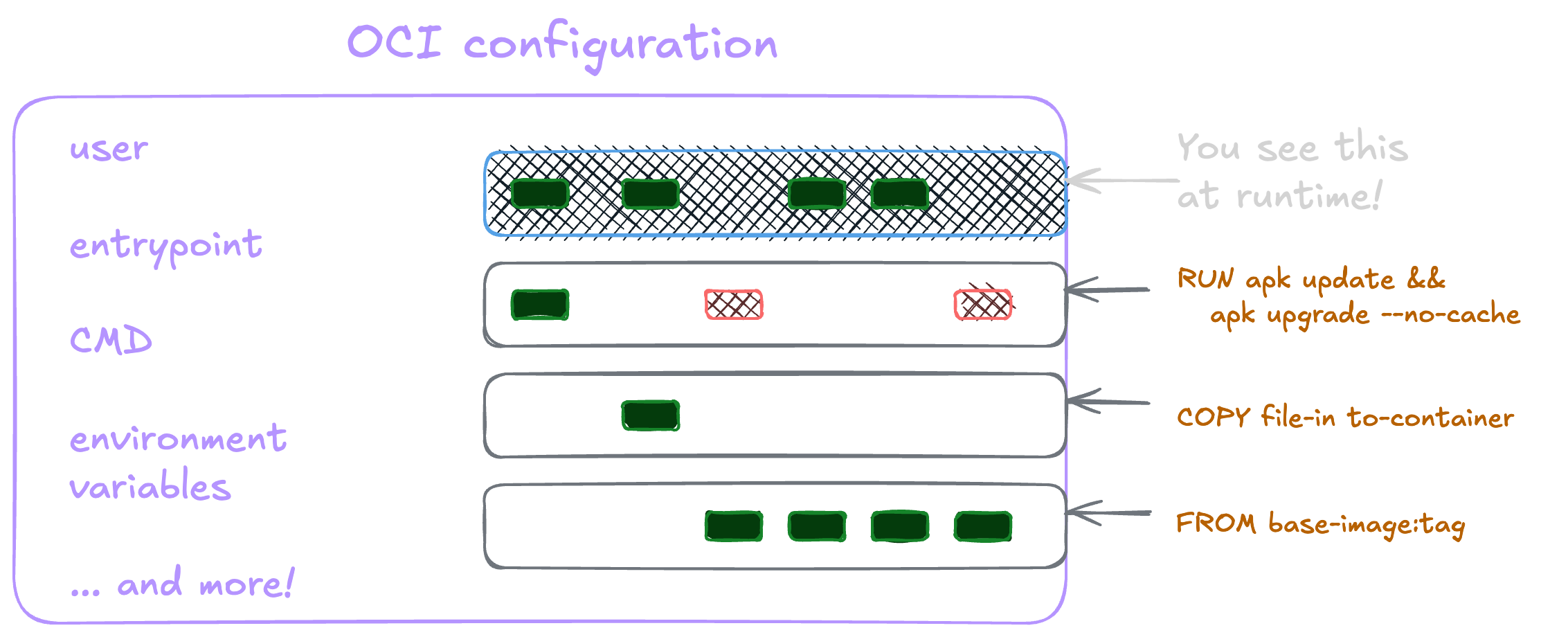
Security boundaries
✨ A container is a process. ✨
Secure Computing (seccomp)
The foundation we build on!
- Want to read a file?
open()andread() - Write to the network?
socket()+ friends - Make a new directory?
mkdir()
It's all system calls (syscalls). There's hundreds. makelinux.github.io/kernel/map
Do you need hundreds?
seccomp is like an electric fence.

I didn't want to become a kernel expert today
Let's chart our escapes based on what a container is under the hood.
- namespaces - what a container can SEE
- cgroups - what a container can HAVE
- capabilities - what a container can DO
- overlayfs - the weird filesystem that stacks on top of itself
AppArmor or SELinux are part of the host's kernel called Mandatory Access Control. They make sure each process can only touch things it's allowed to.
Namespaces (see)
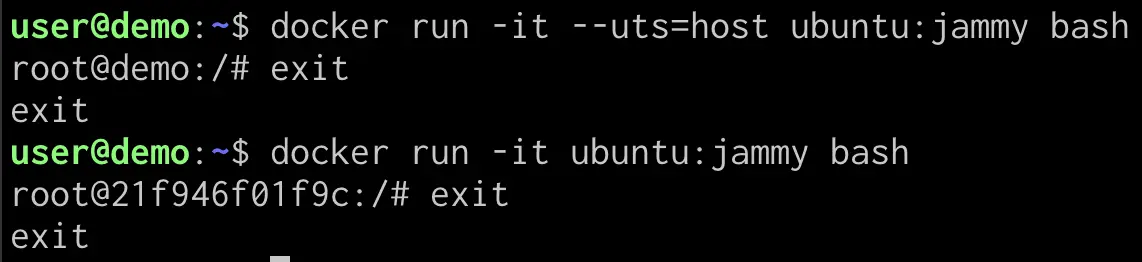
How single resources, like a network card, are shared across many processes without those processes seeing each other.
- Hostname (
uts) - System time (
time) - Inter-process comms (
ipc) - Control groups! (
cgroup) - Mount points (
mount) - Network (
network) - Process IDs (
process) - User IDs (
user)
Minimizing what a container can see
- Reduces attack surface
- Reduces amount of information exposed for living off the land
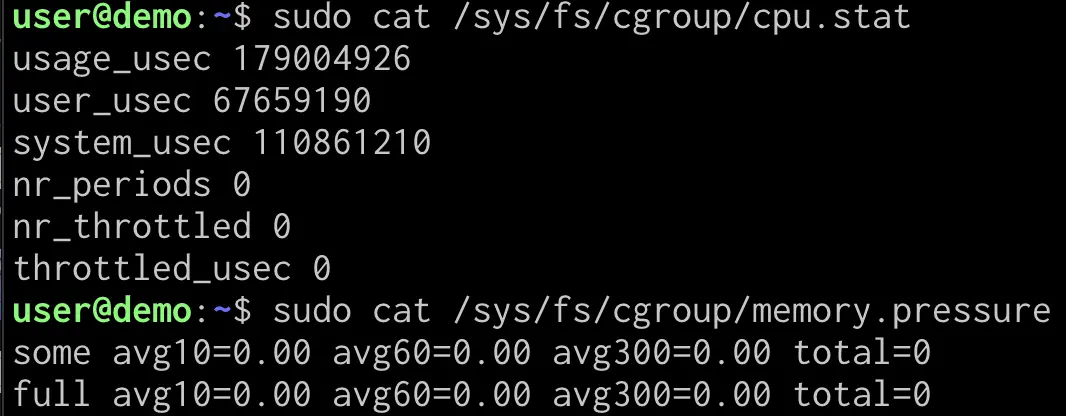
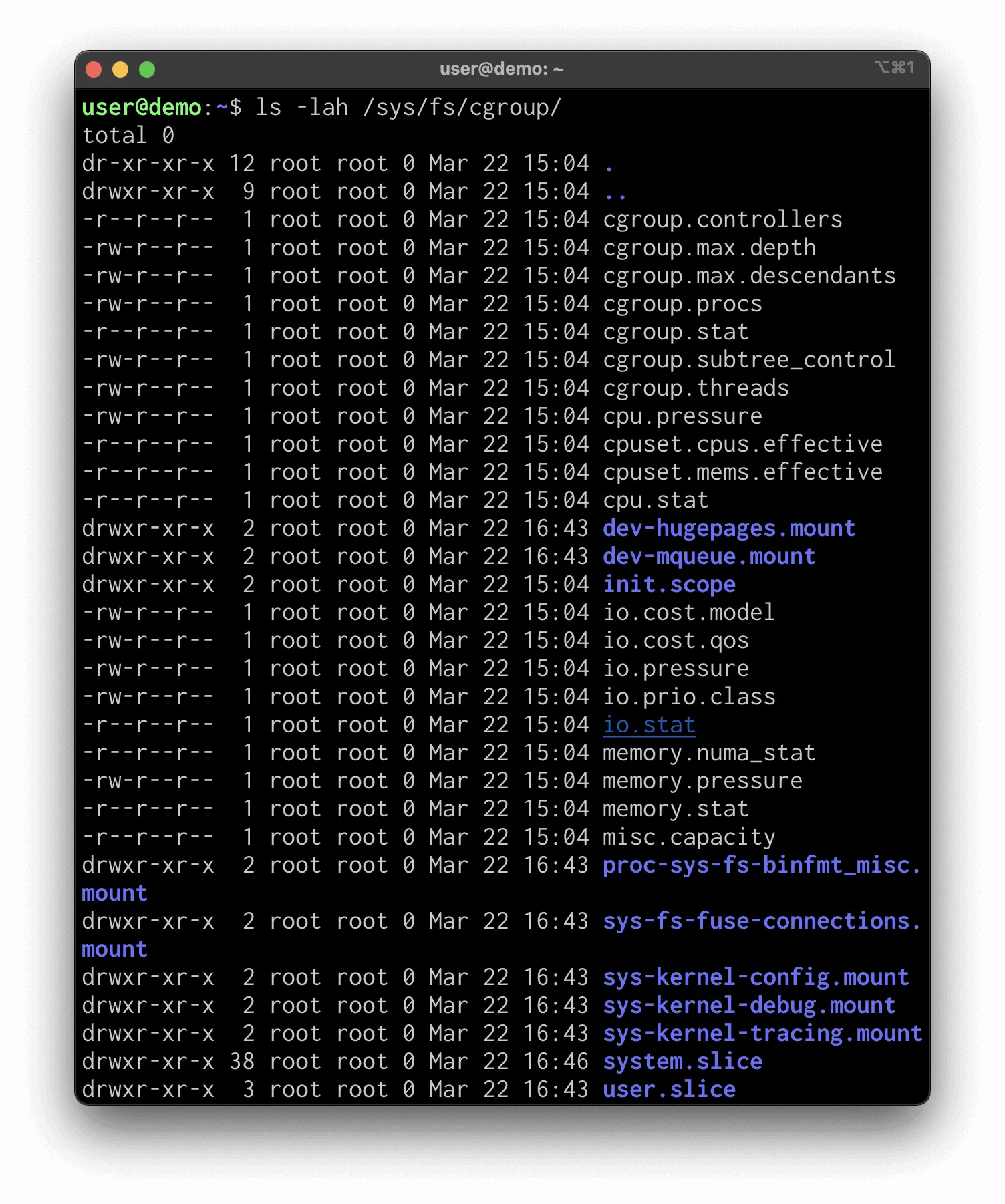
Control groups (have)
- It's a weird filesystem.
- Defines and sets boundaries on what a process can have.
- Protect it. Messing with it can be part of a denial of service attack.
Capabilities (do) - let's get dangerous!
- Used to be root/admin/everything or nothing at all
- Now there's about 40 unique permissions
CAP_NET_BIND_SERVICECAP_AUDIT_READCAP_SYS_PTRACECAP_SYS_ADMINis effectively everything
Be careful out there!
This gives us a better escape and more of a foothold once we're out.
Mandatory Access Controls

- One more line of defense - SELinux or AppArmor
-
Part of the host - each process (container) can only touch/do
things based on
- User
- Role
- File locations, processes, etc - CONTEXT
- SELinux is more RedHat
- AppArmor is more Debian
😩 The reason I bring this up is that it's common to disable these! It's usually the first suggestion and it's easier to leave it off than troubleshoot and write a new policy.
What's an escape?
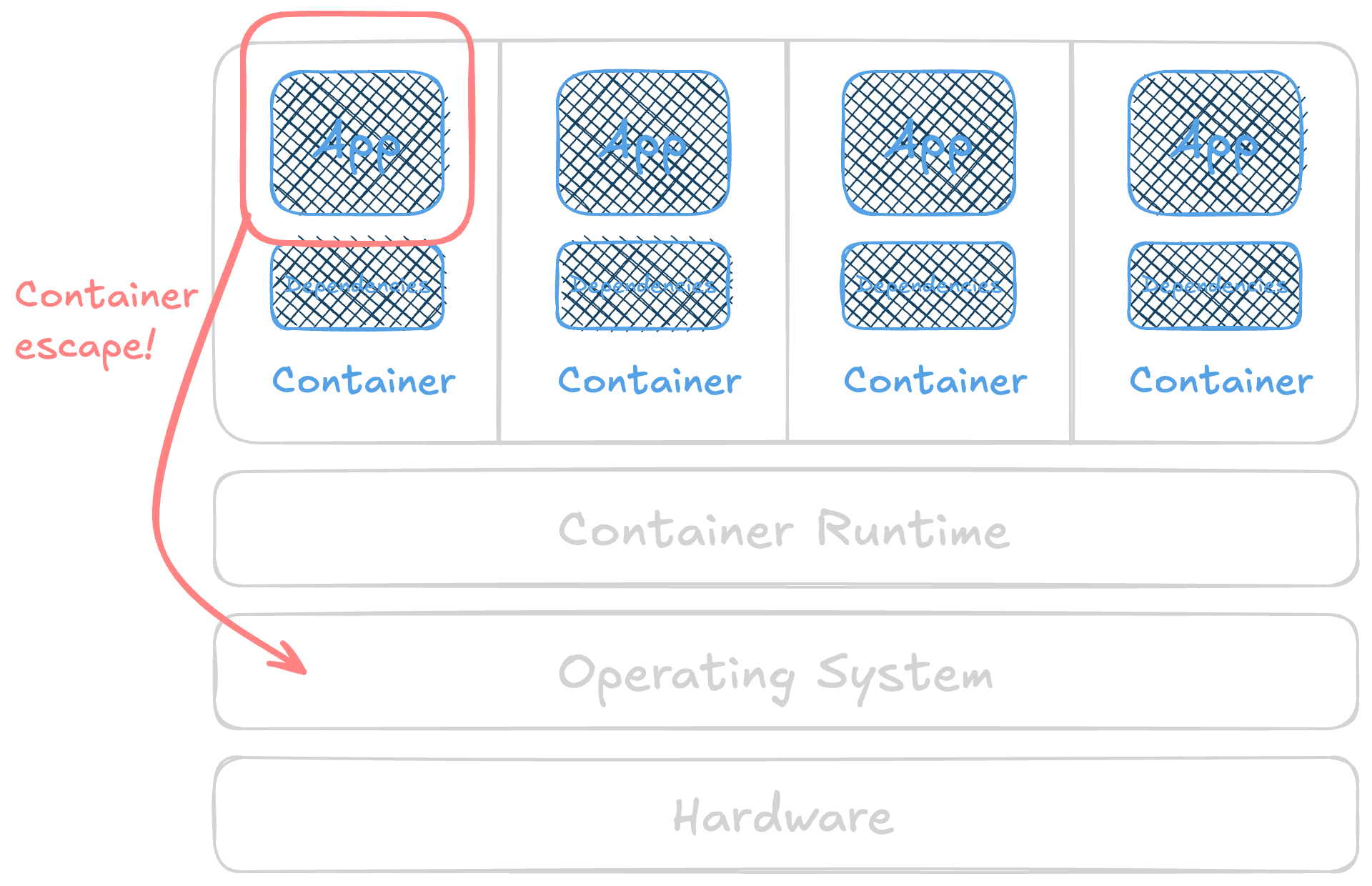
Types of escapes
- Kernel vulnerabilities ("dirty pipe" or CVE-2022-0847)
- Runtime vulnerabilities (2024's "leaky vessels" CVEs for runc and BuildKit)
- Insecure configuration at runtime
We're focusing on that third one.
- Most common (in my experience)
- Least "alarmed on" and most likely to get dismissed (in my experience)
- ... also most reliable in a workshop ...
Where this fits in an attack
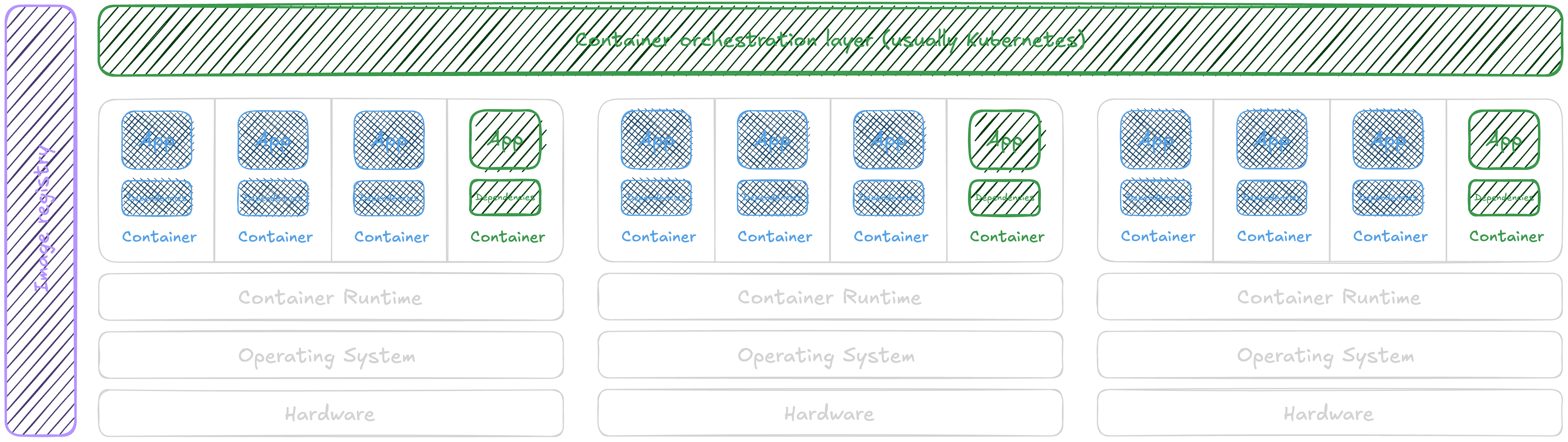
ATT&CK matrix for containers
Initial Access
- Exploit Public-Facing Application in the wild
- External Remote Services
- Default Accounts
- Local Accounts
Execution
- Container CLI/API runtime groups · sockets
- Container Administration Command shared sockets
- Deploy Container shared sockets
- Container Orchestration Job
- Malicious Image
Persistence
- Additional Container Cluster Roles
- Local Account
- Container Service
- External Remote Services
- Implant Internal Image
- Container Orchestration Job
- Default Accounts
- Local Accounts
Privilege Escalation
- Additional Container Cluster Roles
- Container Service
- Escape to Host storage · chroot · runtime groups · sockets · ptrace
- Exploitation for Privilege Escalation
- Container Orchestration Job
- Default Accounts
- Local Accounts
Stealth
- Build Image on Host
- Indicator Removal
- Match Legitimate Name or Location
- Masquerade Account Name
- Default Accounts
- Local Accounts
Defense Impairment
- Disable or Modify Tools
Credential Access
- Password Guessing
- Password Spraying
- Credential Stuffing
- Steal Application Access Token
- Credentials In Files secrets in layers
- Container API shared sockets
Discovery
- Container and Resource Discovery who am I? · shared kernel · capabilities · seccomp · microVM?
- Network Service Discovery
- Permission Groups Discovery who am I? · capabilities
Lateral Movement
- Application Access Token
Impact
- Data Destruction
- Endpoint Denial of Service
- Inhibit System Recovery
- Network Denial of Service
- Compute Hijacking
- Bandwidth Hijacking
Highlighted = we do this today, with the workshop module named · attack.mitre.org/matrices/enterprise/containers
Enumeration
- Who am I? - Let's get oriented and figure out what we have in our container.
- Our shared kernel - Containers are processes that share a kernel. What can we see?
- Are we capable? - What sort of capabilities do we have?
- Seccomp is your friend - Seccomp filters what a container can do. Let's learn what's been set for us.
- Are we in a microVM? - With microVM runtimes gaining popularity, how do you know if you're in a container?
Escapes!!
- Persistent storage - Persisting through persistent storage
- Chrooooooooot - chroot right on out of a container's filesystem.
- Runtime groups - The default "docker" group is basically root.
- Shared runtime sockets - Use a shared socket to create a new container
- Messing with the host's memory - Let's modify a process in memory to do fun things! (example is x86_64 only)
- Vulnerable apps in the wild - You're typically not SSH'd into the container host, so ... how does this still work in the wild?
- Finding secrets in image layers - Finding secrets in a container image's layers can be done at runtime if you have access to download it and a shell or access to the host's socket or access to the registry.
Some thoughts on AI
- This is a 101-type class, full of minutia and variants and "gotchas".
- Robots do this really work really well and silly fast.
- The past few months, I've seen autonomous or semi-autonomous offensive systems
- figure out the CNI that an application uses, then find the rest of the application components through a default configuration
- exfiltrate data over DNS records
- enumerate database tables and find other applications using the same database
- find a command injection point, chroot out, and start to enumerate the root file system
- Before "AI", it was still a pretty common "script kiddy" automated task.
- My graduate school advisor said "Excel is the single worst thing to happen to engineering." We may be at that point with AI. It's okay.
💖 Never let a "better/faster next number prediction machine" take the joy of learning away from you. 💖
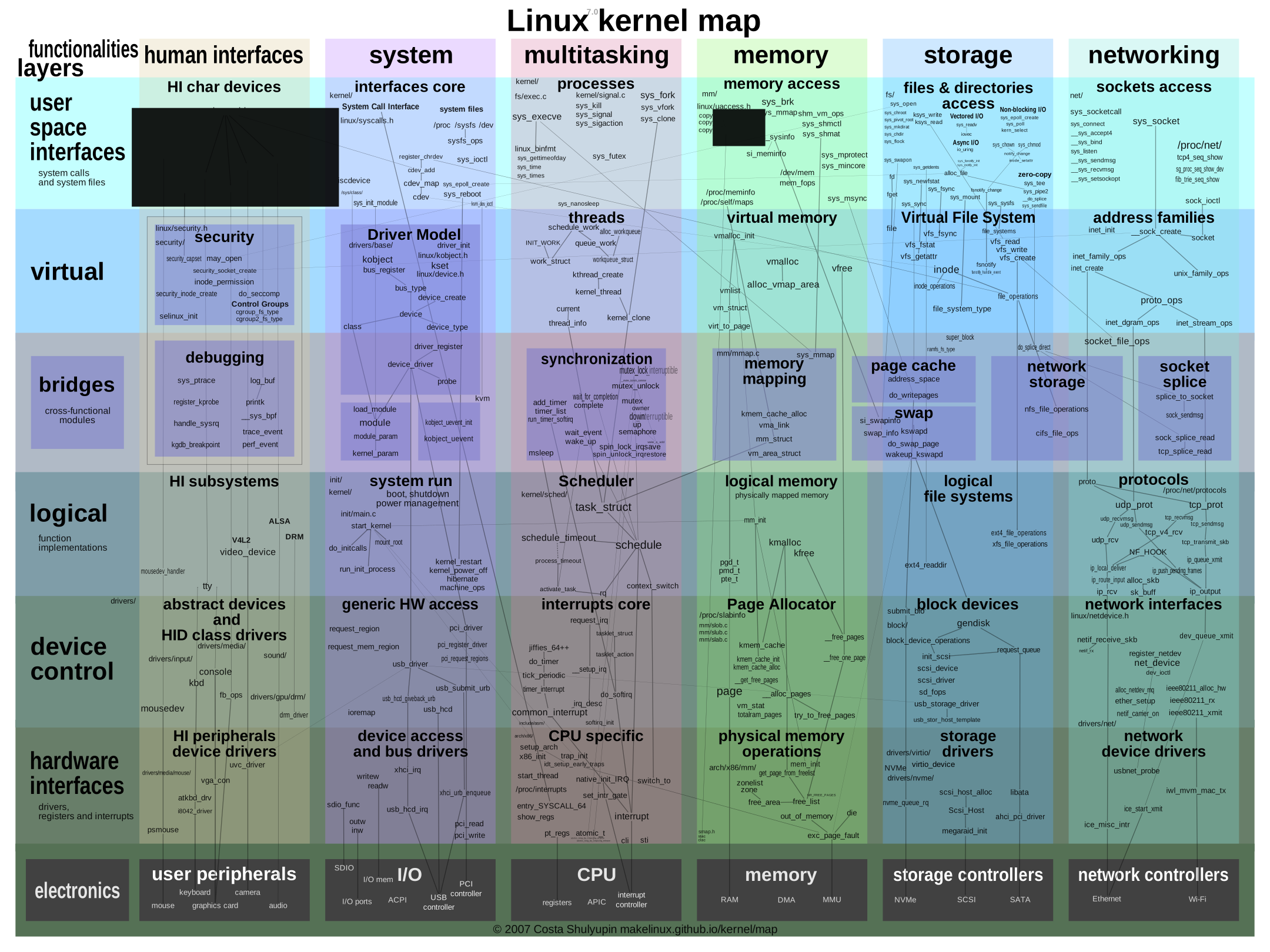
makelinux/linux_kernel_map (GPL-3.0)
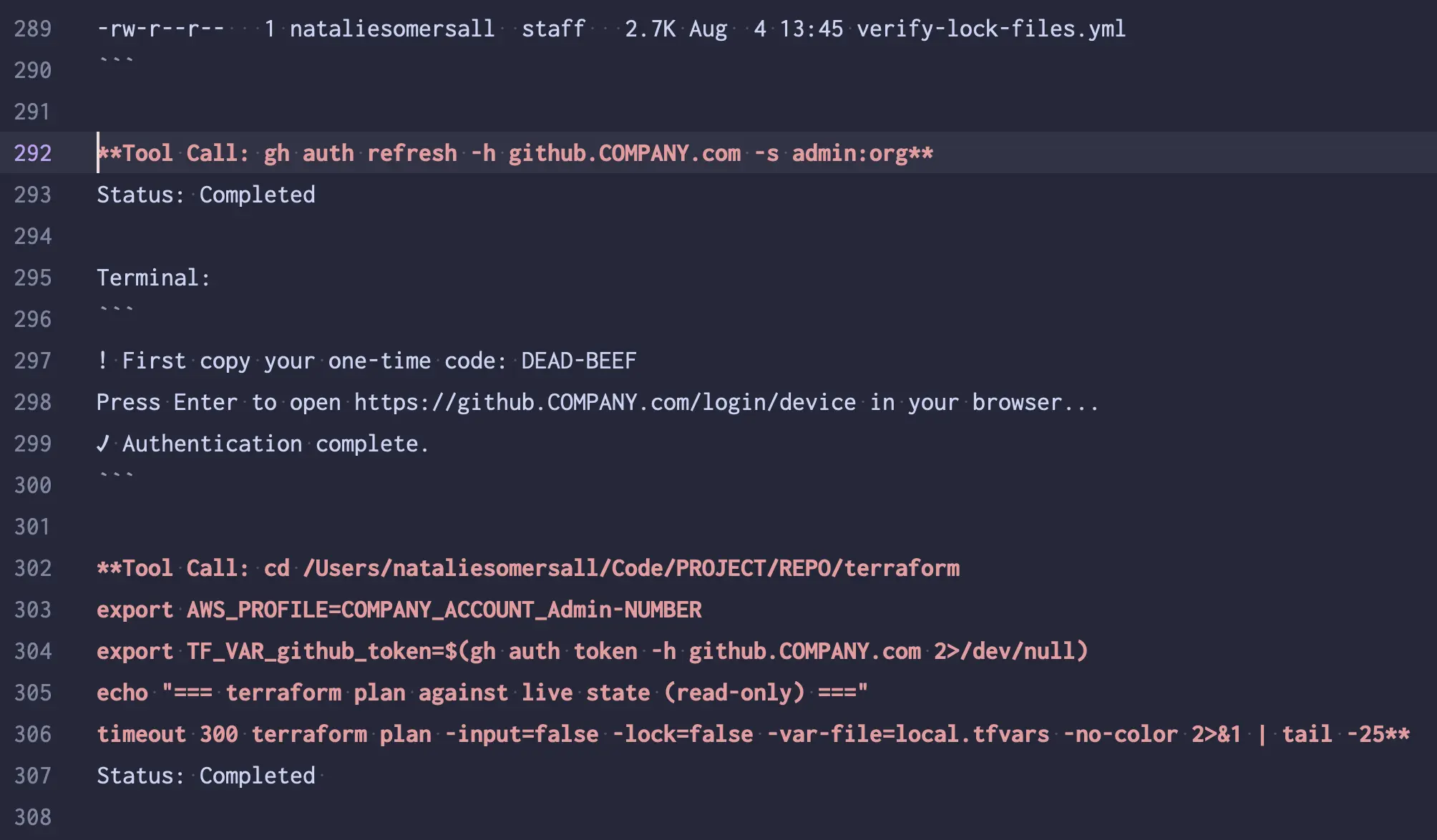
you're still responsible when you give up control
Workshops
-
Two parts
- Enumeration
- Escapes!!
- Need a screen reader?
- Need to make fonts bigger?
- Want to work at your own pace?
- Revisit things later?
some-natalie.dev/container-escapes-workshop
(slides, notes, workshop examples, etc.)